Best AI Prompts for Photo Editing: Templates
Copy and customize AI photo editing prompts for portraits, products, cinematic images, restoration, lighting, backgrounds, and more.
Turn this inspiration into your own images.
Bring a brief or a reference image. Explore the possibilities with four AI models.
Free credits to start · No credit card

The best AI prompts for photo editing state what must change, what must remain untouched, and how the finished image should look. This copy-paste library gives content creators and marketing teams practical templates for portraits, products, fashion, travel, restoration, backgrounds, lighting, and artistic styles, plus methods for preserving identity and correcting common AI artifacts. If you are new to the process, start with our step-by-step guide to editing photos with AI before diving into the prompt templates below. For a deeper look at the technology behind these instructions, see our overview of how AI photo editing actually works.
AI photo editing prompts in short
- Effective edit prompts identify the editable subject or region, the requested change, the desired visual style, and everything that must be preserved.
- OpenAI recommends the structure "change only X" plus "keep everything else the same" to reduce unwanted changes.
- For many image tasks, OpenAI says "1 to 3 clear sentences are enough."
- Identity-preserving prompts should protect facial structure, skin tone, texture, body proportions, expression, tattoos, scars, and other distinguishing marks.
- A mask is preferable for a precise local change because transparent mask areas indicate where an OpenAI image edit should occur.
- Product prompts should preserve packaging geometry, brand elements, label placement, product proportions, and readable text.
- Recognizable people may require consent or a model release, especially when the generated or edited image will be used commercially.

Checklist for writing an AI photo editing prompt
- Upload the highest-quality source photo available.
- Name the exact subject, object, or region to edit.
- Describe only the changes required for the final image.
- Add a clear "keep everything else the same" instruction.
- List identity details that the tool must preserve.
- Specify lighting, color palette, mood, composition, and photography style.
- Define the intended output, such as a headshot, poster, listing image, or social post.
- Add targeted exclusions for the most likely artifacts.
- Use a mask or selection tool when changing a small region.
- Review faces, hands, logos, labels, reflections, edges, and generated text before publishing.
Methodology: This guide is based on current official OpenAI and Adobe prompting documentation, image-editing guidance, commercial-content policies, and the evidenced AvocAIdo product workflow as of September 7, 2026.
Made with AvocAIdo
Your product. Your style. Four possibilities.
Turn a product photo and a style reference into studio-style images. Compare AI models in one place.


Saved examples · 4 AI models




Free credits to start · No credit card
How do AI photo editing prompts work?
An AI photo editing prompt is a natural-language instruction that tells an image model how to transform an existing photo. Unlike a text-to-image prompt, it must manage two goals simultaneously: create the requested change and preserve everything that should remain recognizable.
For example, "make this cinematic" leaves the model to reinterpret the entire photo. A controlled edit is more specific:
Change only the lighting to soft cinematic evening light with realistic shadows and restrained contrast. Preserve the person's exact identity, pose, clothing, background geometry, camera angle, and image composition. Keep everything else the same.
The preservation clause is critical. OpenAI explicitly recommends phrases such as "preserve identity/geometry/layout/brand elements" and the pattern "change only X" plus "keep everything else the same" in its GPT Image prompting guide (zdroj: OpenAI).
Longer is not automatically better. OpenAI's image-generation guidance says "1 to 3 clear sentences are enough" for many tasks, even though current GPT image models accept much longer inputs. A compact prompt makes priorities easier for the model to interpret and easier for the user to revise. For additional context, see Meta's guide to AI photo editing prompts, which similarly organizes instructions into structured prompt categories.
What makes an effective prompt for AI photo editing?
A reliable prompt contains four functional parts: the edit target, requested change, visual direction, and preservation rules. Add exclusions only when they address a plausible failure. Research from eWeek's comparison of AI photo editing across platforms confirms that mentioning lighting, texture, and color accuracy in prompts consistently improves output quality.
The universal copy-paste template
Edit only [specific subject, object, or region]. Change [current property] to [desired result]. Use [lighting], [color palette], [mood], and [photography or design style]. Preserve [identity, pose, proportions, geometry, composition, brand elements, text, and background details]. Do not add [specific unwanted elements or artifacts]. Keep everything else exactly the same.
Replace every bracketed field with observable details. Do not leave abstract instructions such as "improve quality" unsupported. Explain whether quality means accurate texture, balanced exposure, sharper product edges, natural skin, readable packaging, or cleaner background separation.
Adobe similarly recommends defining style, composition, lighting, color, and mood. Its reusable structure is "[Style] image of [subject], [lighting], [color palette], [mood]," according to its AI image prompt examples (zdroj: Adobe).
How to build the prompt step by step
- Identify the target. Say "background only," "the jacket," "the sky," or "the product label," rather than "fix this photo."
- Describe the final state. Specify the new color, setting, material, exposure, lighting direction, or mood.
- Lock the invariants. Protect identity, perspective, body proportions, geometry, logos, text, and composition. Using AI-ready brand style guide templates can help you systematize these preservation rules across your team.
- Set the output context. State whether the image is intended for a professional profile, ecommerce listing, vertical social post, large print, or campaign poster.
- Exclude likely defects. Name a short, targeted list rather than adding a generic paragraph of unrelated negative terms.
If a tool supports regional selection, select the smallest practical area. OpenAI's mask guidance states: "The transparent areas of the mask indicate where the image should be edited." Its documentation also advises describing the full new image rather than only the deleted region.
What are the best AI prompts for photo editing?
The following AI photo editing prompts are designed for direct copying. Replace the details in brackets, upload the reference image, and remove any clause that does not apply.
Portrait, selfie, and headshot prompts
Natural portrait retouch
Retouch only temporary skin blemishes and uneven exposure. Preserve the subject's exact facial structure, skin tone, pores, freckles, wrinkles, scars, eye shape, hairstyle, expression, and body proportions. Keep realistic skin texture and natural facial asymmetry. Do not create waxy skin, enlarged eyes, reshaped features, or artificial makeup.
Professional profile headshot
Create a polished professional headshot from this photo. Use balanced studio lighting, a clean neutral background, natural skin texture, realistic hair detail, and a confident but authentic presentation. Preserve the person's exact identity, facial proportions, expression, clothing, and distinguishing marks. Keep the framing suitable for a square profile crop.
For more on choosing the right app for professional-grade results, see our roundup of the best AI photo editing apps for professionals.
Dating profile image
Improve this portrait for an authentic dating profile. Use warm natural light, relaxed color, realistic skin texture, and subtle background separation. Preserve the person's identity, age, body shape, facial features, expression, clothing, and surroundings. Do not apply glamour retouching or change physical characteristics.
Passport-style presentation
Create a formal identification-style portrait with even frontal lighting, a plain light background, centered head-and-shoulders composition, neutral color, and a natural expression. Preserve exact identity, facial structure, skin tone, hairline, ears, and proportions. Do not beautify, stylize, reshape, or add accessories.
An AI-edited image may not meet official identification-document requirements. Use this template for presentation planning and follow the issuing authority's current photo rules for an actual application.
Fashion, beauty, and editorial prompts
High-fashion editorial
Transform the photo into a refined fashion editorial while preserving the model's exact identity, pose, body proportions, garment construction, and accessories. Use directional studio lighting, controlled shadows, sophisticated color grading, and high-detail fabric texture. Do not duplicate jewelry, alter garment logos, smooth away natural skin texture, or distort hands.
Beauty campaign
Edit this portrait into a clean beauty-campaign image with soft frontal lighting, accurate cosmetic color, detailed eyelashes, realistic pores, and a restrained glossy finish. Preserve facial structure, skin tone, eye color, lip shape, hairstyle, and product placement. Remove only temporary blemishes. Avoid plastic skin, excessive sharpening, and false reflections.
Magazine cover portrait
Prepare this image as an editorial cover portrait with intentional negative space for a masthead and cover lines. Use dramatic but realistic studio lighting and a cohesive [color] palette. Preserve the model's identity, pose, wardrobe, and image geometry. Do not generate text, logos, watermarks, or extra accessories.
Add typography later in a layout tool when exact spelling and brand typography are essential. If text must be generated inside the image, OpenAI recommends high output quality for dense layouts or small text.
Cinematic, fantasy, and artistic prompts
Cinematic portrait
Apply cinematic color grading with [warm highlights and cool shadows], realistic directional light, subtle atmospheric depth, and restrained film grain. Preserve the subject's identity, pose, clothing, background layout, and camera perspective. Do not add lens flares, fog over the face, extreme contrast, or crushed skin tones.
Fantasy environment
Change only the background into an elegant fantasy landscape with [ancient trees, distant mountains, and soft luminous mist]. Match the original camera angle, depth of field, light direction, and color temperature. Preserve the person's exact identity, pose, clothing, edges, and proportions. Do not add weapons, wings, jewelry, or extra characters.
Different models interpret artistic and fantasy prompts differently. Our list of AI models for image generation can help you match prompts to the right model.
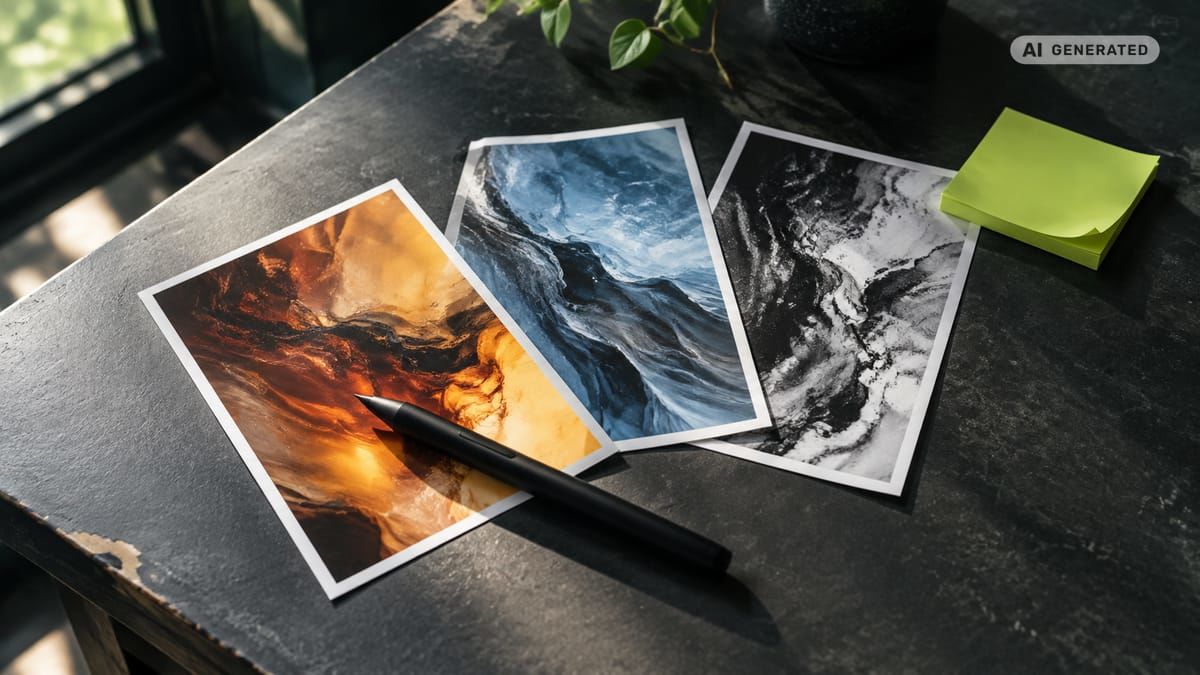
Painterly poster
Convert this photo into a detailed painterly poster with visible brush texture, simplified color shapes, dramatic lighting, and clear subject separation. Preserve the person's recognizable facial structure, pose, clothing silhouette, and composition. Leave intentional open space for poster text, but do not generate letters or logos.
Graphic monochrome style
Convert the image to high-quality monochrome with a full tonal range, detailed midtones, natural skin texture, and controlled highlight roll-off. Preserve identity, composition, focus, and background geometry. Do not apply artificial grain, harsh halos, selective color, or oversharpening.
Lifestyle, romantic, and travel prompts
Lifestyle social image
Refine this lifestyle photo with natural daylight, balanced exposure, realistic colors, and subtle subject separation. Preserve every person's identity, expression, clothing, body proportions, and position. Keep the location recognizable. Do not replace architectural details, signs, or objects unless explicitly requested.
Romantic evening look
Change only the lighting and color grade to a warm evening atmosphere with soft practical lights and realistic skin tones. Preserve both people's identities, expressions, poses, hands, clothing, and distance from each other. Do not add physical contact, jewelry, decorations, or background people.
Travel photography
Enhance this travel photo with natural atmospheric depth, accurate architectural color, recovered sky detail, and balanced foreground exposure. Preserve the location, building geometry, people, signage, camera angle, and weather conditions. Remove only [specified distraction]. Do not invent landmarks or alter culturally significant details.
Vertical social post
Recompose this image for a vertical 9:16 social format by extending the existing background naturally above and below the subject. Preserve identity, scale, perspective, lighting direction, and central visual focus. Do not stretch the person, duplicate objects, or add text.
Product, automotive, and commercial prompts
Clean ecommerce listing
Create a clean ecommerce listing image with the product centered against a pure white background, even studio lighting, accurate color, realistic contact shadow, and crisp edges. Preserve exact product geometry, dimensions, packaging, logo placement, label text, materials, and surface finish. Do not redesign the product or generate additional accessories.
Branded lifestyle product scene
Place the product in a [kitchen, office, bathroom, or outdoor] lifestyle setting with realistic scale, reflections, shadows, and contact points. Preserve the exact packaging geometry, logo, label layout, colors, cap, material, and proportions. Keep all brand elements unchanged and readable. Do not add competing products or invented claims.
To make AI photos look professional and on-brand, pair these product prompts with a documented brand style guide. Teams producing content at volume can also achieve visual consistency at scale by standardizing prompt templates across campaigns.
Automotive image
Change only the setting around the vehicle to [desired location]. Preserve the exact vehicle model, body shape, paint color, wheels, badges, windows, registration details, reflections, and camera angle. Match the new environment's light direction to the original vehicle. Avoid warped wheels, duplicated mirrors, altered logos, or floating tires.
Transparent product extraction
Isolate only the product from the original background and create a clean transparent-background asset. Preserve every product edge, translucent area, reflective surface, label, logo, and shadow detail required for realistic placement. Do not crop the product, modify its shape, or create a white fringe around the edges.
Landscape, architecture, and interior prompts
Landscape enhancement
Improve this landscape with balanced exposure, natural color separation, recovered highlight detail, subtle atmospheric depth, and realistic local contrast. Preserve the terrain, vegetation, horizon, weather, and camera position. Do not replace the sky, add wildlife, oversaturate foliage, or create artificial sharpening halos.
Architecture correction
Correct vertical perspective and lens distortion while preserving the building's exact architecture, façade pattern, materials, windows, signage, and surrounding context. Use neutral color and realistic daylight. Do not redesign structural elements, remove permanent features, or generate repeated windows.
Interior styling
Change only [furniture item, wall color, or décor region] to [desired design]. Preserve the room dimensions, architecture, floor, windows, camera angle, perspective, and natural light direction. Match realistic scale and contact shadows. Do not move walls, widen the room, or duplicate decorative objects.
Restoration and colorization prompts
Vintage restoration
Restore this old photo by removing only dust, scratches, creases, stains, fading, and scanning noise. Reconstruct damaged areas conservatively from nearby visual evidence. Preserve every person's identity, age, expression, hairstyle, clothing, body proportions, and the original composition. Do not modernize features or invent missing objects.
Historical colorization
Colorize this monochrome photo with restrained, historically plausible colors and natural tonal variation. Preserve all faces, clothing details, architecture, textures, and original contrast relationships. Do not add modern objects, alter expressions, exaggerate saturation, or remove authentic film characteristics.
Exposure correction
Correct only the exposure and white balance. Recover available highlight and shadow detail while retaining natural contrast and realistic skin tones. Preserve identity, colors, texture, focus, framing, and background. Do not create HDR halos, flatten the lighting, or oversaturate the image.
How should selective edits and masks be prompted?
For a surgical edit, isolate one region and describe the complete intended result. Masking generally gives the model a clearer spatial boundary than wording alone.
Use these templates:
Change only the sky
Edit only the masked sky. Replace it with a natural [weather and time] sky that matches the original horizon, perspective, color temperature, and light direction. Preserve the landscape, buildings, people, reflections, and foreground exactly.
Change clothing only
Edit only the masked jacket. Change it to [color, cut, and material] while preserving the person's identity, pose, anatomy, body proportions, hands, hair, and all unmasked clothing. Match the existing folds, light, shadows, and fabric contact points.
Remove one object
Remove only the masked [object] and reconstruct the area using the surrounding background's texture, perspective, light, and depth of field. Preserve all people, shadows, nearby objects, and composition. Do not crop or reposition anything.
When the tool requests a full-image description, include both the changed region and preserved context. OpenAI's official image workflow supports masks and inpainting through its image edit endpoint (zdroj: OpenAI).
How do you adapt prompts for different AI tools?
Keep the editing logic consistent, but adapt the interface controls. To understand which platforms handle which prompt styles best, see our best AI tools for photo editing compared.
In a conversational editor, upload the photo and use a concise instruction with a preservation clause. If the first result drifts, follow with a correction such as: "Restore the original face and change only the background."
In a mask-based editor, select the smallest region that fully contains the object and its edges. Describe the full intended scene while explicitly protecting unmasked areas.
Adobe Firefly accepts everyday language for adjusting color, text, and lighting, according to its text-prompt editing guide (zdroj: Adobe). OpenAI provides similar natural-language editing in ChatGPT Images and recommends precise preservation language.
Do not use an https image URL as a substitute for uploading the actual reference unless the tool explicitly supports URL input. A direct JPG, PNG, or WebP upload provides the editor with the pixels it needs to analyze.
What prompt problems cause poor edits?
The person no longer looks the same: Add an identity lock naming facial structure, skin tone, eye shape, hairline, expression, proportions, tattoos, scars, and other distinguishing features. Request the change only after defining these protected characteristics.
Skin looks waxy: Ask for pores, fine lines, natural asymmetry, realistic texture, and restrained retouching. Add "no plastic skin, airbrushing, beauty-filter effect, or artificial glow."
Hands or accessories multiply: Preserve hand position and accessory count. Exclude extra fingers, fused fingers, duplicate jewelry, duplicate straps, and repeated objects.
Text or logos become warped: Tell the model to preserve exact brand elements, label placement, spelling, typography, and packaging geometry. For critical commercial assets, compare the result against the original at high magnification.
Edited edges show halos: Request clean edge transitions, matching depth of field, realistic contact shadows, and no white fringe. A tighter mask can help around hair, glass, reflective products, and vehicle edges.
The whole image changes: Reduce the request to a single edit. Use the exact OpenAI-recommended logic: "change only X" and "keep everything else the same."
What privacy and commercial-use checks matter?
Prompt quality does not replace permission. Obtain appropriate consent before editing or publishing photographs of clients, children, employees, models, or other recognizable people.
Adobe Stock states that a model release is required when a person can be recognized through features including the face, tattoos, clothing, or surroundings. Its generative AI submission guidelines (zdroj: Adobe) also require a release for content that depicts, is based on, or is intended to portray an identifiable person.
Celebrity likenesses require particular care. Publicity and personality rights vary by jurisdiction, and commercial advertising may require prior consent. Do not assume that a publicly available reference photo permits AI editing, campaign use, or endorsement-style presentation.
For products, verify logos, label text, claims, packaging, and copyrighted artwork after editing. Keep the original source, permission records, reference files, prompts, and approved outputs together so the marketing team can trace how an asset was created.

AvocAIdo tip
Instead of rewriting a separate technical prompt for every image model, creative teams can use AvocAIdo's ArtDirector AI to convert plain-language descriptions into model-optimized prompts. AvocAIdo sends each brief to 4 models in parallel, currently Grok Imagine, Seedream 5 Lite, NanoBanana 2, and GPT Image 2, so users can review different interpretations and select the most suitable output. Its Brand Style Intelligence analyzes reference-photo characteristics such as color, lighting, composition, and mood. The platform accepts JPG, PNG, and WebP references and provides editing, resizing, upscaling, and zoom tools. See AvocAIdo pricing plans for details on available features and credits.
Frequently asked questions
How long should an image editing prompt be?
OpenAI says that "1 to 3 clear sentences are enough" for many image tasks. Start with one sentence for the change and one for preservation, then add a third sentence containing targeted exclusions. Longer prompts are useful only when they establish clear priorities rather than repeat style adjectives.
What is the best universal prompt structure?
Use four components: target, change, visual direction, and preservation clause. For example: "Change only [target] to [result], using [lighting and style]. Preserve [identity, geometry, composition, and brand elements]. Keep everything else the same." Add one short negative block if a known artifact repeatedly occurs.
How can I stop AI from changing a face?
Explicitly preserve at least the visible identity characteristics, including facial structure, eye shape, nose, mouth, skin tone, texture, hairline, expression, and distinguishing marks. OpenAI specifically recommends preserving identity in image edits. Mask the background or clothing when only those regions require modification.
Should I use negative prompts for photo editing?
Yes, but keep them targeted to the current failure. A portrait block might exclude waxy skin, reshaped features, extra fingers, and duplicate jewelry, while a product block might exclude warped labels, changed logos, halos, and altered geometry. A focused list of likely defects is clearer than dozens of unrelated terms.
What format should I request for social media?
Match the composition to the destination. A 1:1 format suits square profile imagery, while 9:16 supports vertical social content and 16:9 supports horizontal layouts. AvocAIdo lists these ratios among its available generation options.
Can AI restore an old family photo accurately?
AI may remove scratches, dust, creases, stains, and fading, but reconstructed details are generated interpretations. Ask it to preserve identity, age, clothing, architecture, and the original composition, and to rebuild only visibly damaged regions. Compare faces and distinguishing marks against the source at high magnification.
Can I commercially use an AI-edited portrait?
Commercial use depends on the tool's terms, the source image rights, the person's consent, and applicable law. Adobe Stock requires a model release for identifiable people in submitted generative AI content. AvocAIdo states that a commercial license is included on all paid-plan outputs, but users should still confirm rights to uploaded references and depicted people. Review the AvocAIdo terms and conditions for full details.
Next step
Choose one template above, replace the bracketed details, and test it against a reference image. You can also open AvocAIdo to use 2,000 free credits without a credit card, apply plain-language prompt assistance, and compare outputs from 4 AI image models.
Zdroje
Ready to create your own images?
Bring a brief or a reference image. Explore the possibilities with four AI models.
Free credits to start · No credit card