Brand Style Guide Templates: How to Create AI-Ready Brand Guidelines
Learn how to create AI-ready brand style guide templates with structured inputs for AI image generation. Includes sections, steps, templates, and tips.
Make your next image feel like your brand.
Use a style reference to guide the look of your product images.
Free credits to start · No credit card
Introduction
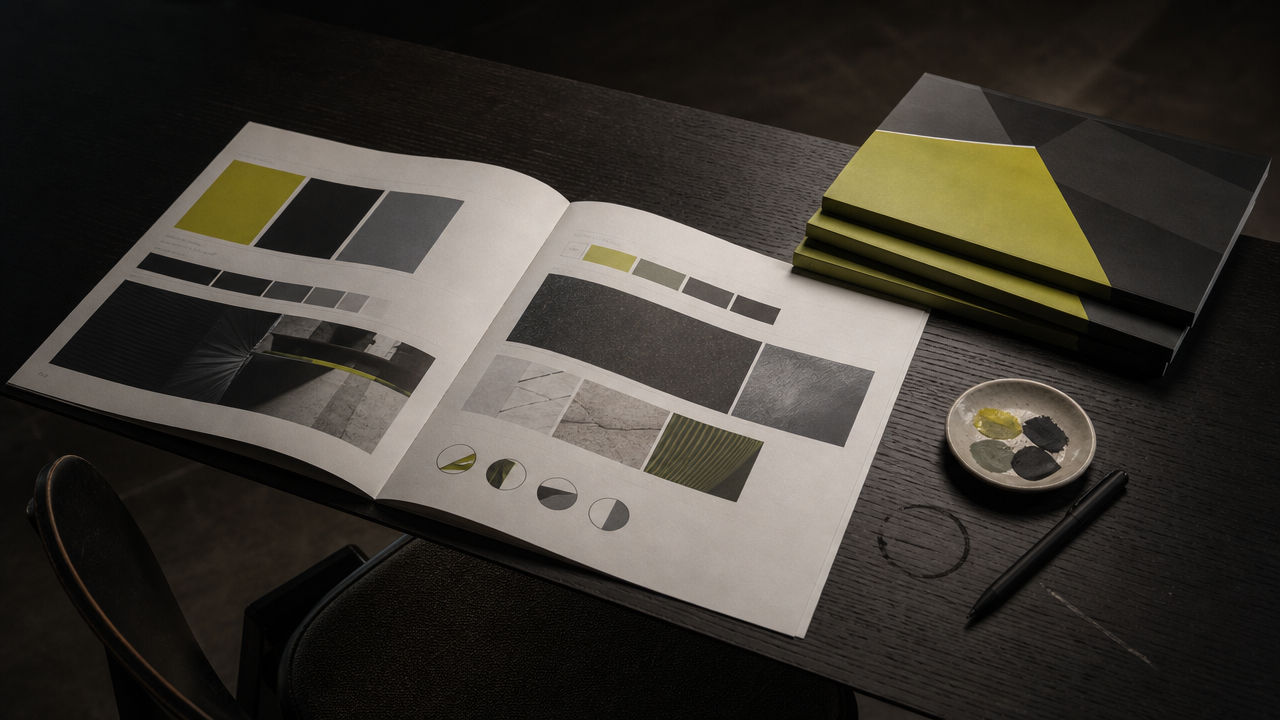
A brand style guide template is a structured document that defines your visual identity — logo, colors, typography, photography style, and tone — so every piece of content stays consistent. As Adobe's guide to creating a brand style guide explains, it serves as the rulebook for everything you create. When formatted for AI tools, these templates become machine-readable instructions that let platforms like an AI-powered brand image generation platform generate on-brand imagery without manual oversight. In this guide, you will learn how to create brand guidelines that both humans and AI systems can follow, which sections to include, and how to structure your visual rules for parallel AI image generation.
TL;DR
- A brand style guide is the rulebook for all branded content, covering identity, visuals, and voice.
- AI-ready guidelines require concrete, structured inputs: hex codes, lighting descriptors, mood tags, and composition rules.
- Traditional PDF guides are not enough — AI tools need parseable, variable-based formatting.
- Templates should include at minimum: mission, logo usage, color palette, typography, photography style, and tone of voice.
- AI brand style guide generators can produce a first draft from minimal inputs (brand name, colors, design style), but human strategy must lead.
- Product listings with AI-enhanced images achieve 27–34% higher conversion rates than standard photos.
- AvocAIdo's Brand Style Intelligence operationalizes your guide by locking visual style from reference photos across four AI models.
Checklist
- ✅ Define brand identity foundations (mission, values, audience) before visual details
- ✅ Document your color palette with exact hex codes, RGB values, and usage rules
- ✅ Specify typography hierarchy with font names, weights, and sizing ratios
- ✅ Include 5–10 reference photos that represent your target visual style
- ✅ Write photography guidelines using concrete descriptors (lighting direction, color temperature, mood)
- ✅ Add composition rules (aspect ratios, subject placement, background preferences)
- ✅ Format guidelines in a structured, parseable format — not just a static PDF
- ✅ Include do's and don'ts with visual examples for each section
- ✅ Test your guide against an AI tool to verify it produces consistent results
- ✅ Schedule quarterly reviews to update guidelines as your brand evolves
Made with AvocAIdo
Your product. Your style. Four possibilities.
Start with your product and a style reference. Explore four AI interpretations of the look you want.


Saved examples · 4 AI models




Free credits to start · No credit card
What Is a Brand Style Guide Template?
A brand style guide template is a pre-structured framework that organizes all the rules governing how your brand looks, sounds, and behaves across touchpoints. According to Adobe, "A brand style guide is the rulebook for everything you create, from what fonts to use to how logo treatments work."
Templates standardize this process by providing ready-made sections — logo, color palette, fonts, images, and tone of voice — that you fill in with your specific brand details. The key difference in 2026: your guide must also be readable by AI systems that generate, edit, and scale your visual content.
The AI image editor market reached approximately $2.1 billion in 2024 and is projected to grow to $8.9 billion by 2034 at a 15.7% CAGR. Enterprise users account for an estimated 42.3% of that revenue — meaning most AI-generated brand imagery now flows through teams that rely on documented guidelines.
Why Do Brand Guidelines Need to Be AI-Ready?
The enforcement gap
Most brands already have guidelines. The problem is enforcement at scale. You have brand guidelines defining colors, lighting, mood, and composition — but struggle to enforce them consistently across hundreds or thousands of assets.
AI tools do not interpret vague creative direction. A guideline that says "our photography should feel warm and inviting" gives a human designer enough context. An AI model needs: color temperature (3200K–4000K), dominant warm tones (hex #F5A623, #D4781A), soft directional lighting from the left, shallow depth of field.
From static PDFs to structured inputs
Traditional brand books are designed for human reading — they use paragraphs, mood boards, and subjective language. AI-ready guidelines translate those same principles into concrete variables:
| Traditional Guideline | AI-Ready Translation |
|---|---|
| "Warm, inviting photography" | Color temp: 3200–4000K; dominant hues: #F5A623, #D4781A; soft lighting, left-dominant |
| "Clean, minimal product shots" | White background (#FFFFFF); centered subject; 1:1 or 3:4 aspect ratio; even diffused lighting |
| "Bold, energetic lifestyle" | High saturation (80%+); dynamic diagonal composition; natural daylight; motion blur acceptable |
| "Sophisticated evening mood" | Low-key lighting; deep shadows; palette: navy (#1F2937), gold (#D4AF37); bokeh background |
This structured approach means AI platforms can parse your rules and apply them automatically — whether you are generating 10 images or 1,000.
What Sections Should a Brand Style Guide Template Include?
Adobe recommends establishing brand identity before addressing visual details. Studying an archive of real-world brand style guide examples can also help you understand how leading companies structure their guidelines. A complete AI-ready template covers these sections:
1. Brand Identity Foundations
- Mission statement — Why your brand exists (1–2 sentences)
- Values — 3–5 core principles that guide decisions
- Target audience — Demographics, psychographics, and visual preferences
- Brand personality — 3–5 adjectives (e.g., bold, refined, approachable)
- Name and tagline — Including pronunciation and usage rules
2. Logo System
- Primary logo, secondary marks, and favicon
- Minimum size requirements and clear space rules
- Approved color variations (full color, monochrome, reversed)
- Placement do's and don'ts with visual examples
3. Color Palette
- Primary colors with hex, RGB, CMYK, and Pantone values
- Secondary and accent colors
- Usage ratios (e.g., 60% primary, 30% secondary, 10% accent)
- Background and foreground pairing rules
4. Typography
- Primary and secondary typefaces with weights
- Heading hierarchy (H1–H4 sizes and weights)
- Body text specifications
- Web-safe fallback fonts
5. Photography and Image Style
This is the section most critical for AI readiness:
- Lighting — Direction, quality (hard/soft), color temperature
- Color grading — Dominant tones, saturation level, contrast
- Composition — Subject placement, aspect ratios, depth of field
- Mood — Emotional tone described in concrete terms
- Subject matter — Approved themes, settings, and contexts
- Do's and don'ts — Visual examples of on-brand vs. off-brand imagery
6. Tone of Voice
- Writing style descriptors
- Vocabulary preferences and restrictions
- Example copy for different contexts (social, web, advertising)
7. AI Tool Instructions (New Section for 2026)
- Approved AI generation platforms
- Reference image library location
- Style lock parameters (which attributes are "must keep" vs. "flexible")
- Review and approval workflow for AI-generated assets
- Commercial licensing requirements
How to Create Brand Guidelines in 7 Steps
Follow this step-by-step process to build guidelines that work for both human designers and AI generation tools:
- Audit your existing brand assets. Collect your best-performing visuals — social posts, product photos, campaign imagery — that represent your ideal brand look. Aim for 10–20 examples.
- Define your brand identity foundations. Write your mission, values, audience profile, and personality traits. These inform every visual decision that follows.
- Extract visual patterns from your top assets. Identify recurring elements: What lighting appears most? Which colors dominate? What composition style repeats? Document these as concrete specifications (hex codes, lighting descriptors, aspect ratios).
- Build your color and typography systems. Assign exact values to every color. Define type hierarchy with specific fonts, weights, and sizes. Include usage rules and pairing guidelines.
- Write your photography style section in AI-parseable language. Replace subjective descriptions with measurable attributes. Instead of "moody," write "low-key lighting, deep shadows (shadow density 70%+), cool color temperature (5500K+), desaturated palette."
- Create reference image sets. Select 5–10 images per style that perfectly represent your brand look. These become the inputs for AI style-locking tools. Organize them by category (product, lifestyle, portrait, environmental).
- Test against an AI tool and iterate. Upload your reference images and guidelines into an AI generation platform. Generate test outputs. Compare results against your documented standards. Refine descriptors where the AI misinterprets your intent.
How Do AI Brand Style Guide Generators Work?
AI brand style guide generators automate the creation of structured guidelines from minimal inputs. According to Taskade, their AI generator "can analyze a brand's characteristics and generate a set of guidelines that accurately reflect the brand's identity."
Typical input requirements
Most AI generators require surprisingly few inputs to produce a first draft. BestHunt.ai's generator, for example, requires: brand name, primary color (e.g., Navy Blue #1F2937), secondary color (e.g., Orange #F59E42), and preferred design style.
FlipHTML5 reports that answering five quick questions about your business can produce a comprehensive brand book in two to three minutes.
What generators produce well
- Structured color palette documentation
- Typography pairing suggestions
- Logo usage rule frameworks
- Basic tone of voice guidelines
- Layout templates for brand books
Where human judgment remains essential
AVINTIV Media advises: "Use AI for Exploration, Not Finalization… AI tools are excellent for ideation but not for decision-making." This applies directly to brand guidelines:
- Strategic positioning — AI cannot determine your competitive differentiation
- Audience insight — Understanding why your audience responds to certain aesthetics requires human research
- Legal compliance — Trademark searches, licensing terms, and usage rights need professional review
- Cultural sensitivity — AI may miss context-specific nuances in visual communication
The most effective workflow uses AI generators for structure and speed, then applies human strategy for substance and differentiation.
How to Format Your Guide for AI Image Generation Tools
The gap between a traditional brand book and an AI-ready guide comes down to specificity and structure. Here is how to bridge it:
Use variable-based formatting
Structure your photography section as a set of named variables with defined values:
BRAND_LIGHTING: soft, directional, left-dominant, warm (3200K)
BRAND_PALETTE_PRIMARY: #2D5A3B, #F5E6D3, #1A1A1A
BRAND_MOOD: calm, sophisticated, organic
BRAND_COMPOSITION: rule-of-thirds, subject left-of-center, negative space right
BRAND_DEPTH: shallow DOF (f/1.8–f/2.8 equivalent)
BRAND_BACKGROUND: natural textures, muted earth tones, no pure white
Prepare reference image sets
AI style-locking tools learn from examples, not descriptions alone. For each brand style you maintain, prepare:
- Minimum 5 reference images that exemplify the style perfectly
- Consistent quality — all references should be production-grade
- Variety of subjects — show the style applied to different content types
- Organized by category — product, portrait, lifestyle, environmental
Assign importance levels
Not every brand attribute carries equal weight. Classify each variable:
- Must keep — Non-negotiable elements (e.g., color palette, lighting direction)
- Moderate — Important but flexible (e.g., exact background treatment)
- Flexible — Can vary by context (e.g., subject positioning)
This hierarchy helps AI tools prioritize which style attributes to enforce strictly versus which can adapt to the specific generation request.
Include aspect ratio specifications
Document which aspect ratios are approved for each channel:
- Instagram feed: 1:1 or 3:4
- Instagram Stories/Reels: 9:16
- Website hero: 16:9
- Product pages: 1:1 or 3:2
- LinkedIn: 16:9 or 1:1
Which Brand Style Guide Templates Should You Use?
For traditional brand books
- Canva — Canva's brand guidelines presentation templates are free and customizable, ideal for visual teams who need polished decks.
- Venngage — 70+ brand guidelines templates with practical structuring tips.
- Figma Community — A free brand guidelines template on Figma for teams already working in collaborative design workflows.
For AI-assisted generation
- Bit.ai — Template that includes logo, color palette, fonts, images, and tone of voice sections, with AI-assisted generation from structured inputs.
- Taskade — AI generator that analyzes brand characteristics and produces structured guidelines.
- BestHunt.ai — Free AI generator requiring only brand name, colors, and design style preference.
For AI image generation workflows
The most effective approach combines a traditional template (for human reference) with a structured input document (for AI tools). Your AI-ready addendum should map directly to the parameters your generation platform accepts — color values, lighting descriptors, mood tags, composition rules, and reference images.
Common Mistakes When Creating Brand Style Guides for AI
1. Using only subjective language
"Elegant and sophisticated" means different things to different AI models. Always pair subjective descriptors with concrete specifications.
2. Skipping the reference image library
AI style-locking tools learn primarily from visual examples. A guide without curated reference images forces AI to interpret text alone — reducing consistency. The required input volume varies dramatically among platforms: some need thousands of edited images, while others work effectively with as few as 1–10 reference photos.
3. Treating the guide as a static document
Brand guidelines should be living documents. Schedule quarterly reviews to update color specifications, add new reference images, and refine AI-specific parameters based on generation results.
4. Overrelying on AI without brand strategy
Without mission, values, audience, and positioning clearly defined, AI outputs can dilute your brand rather than strengthen it. Strategy must precede automation.
5. Ignoring commercial licensing
When using AI-generated imagery, your guidelines should specify licensing requirements. Document which tools provide commercial licenses on outputs and which require additional clearance.
AvocAIdo Tip
If you already have brand guidelines defining colors, lighting, mood, and composition, AvocAIdo's Brand Style Intelligence can operationalize them directly. Upload 1–8 reference photos that represent your documented style, and ArtDirector AI analyzes your lighting, composition, color, and mood — then keeps every generated image on-brand across four AI models in parallel. This means your style guide becomes an active enforcement mechanism, not a static reference document. The platform offers 2,000 free credits (no credit card required) to test whether your guidelines translate effectively into AI-generated outputs. Start your free trial and explore the full workflow today.
FAQ
What is a brand style guide template?
A brand style guide template is a pre-structured document framework that organizes your brand's visual and verbal identity rules — including logo usage, color palette (with hex codes), typography, photography style, and tone of voice. Templates save time by providing ready-made sections you fill with your specific brand details. Most comprehensive templates include 6–8 core sections covering both identity foundations and visual specifications.
How do I create brand guidelines from scratch?
Start by defining your brand identity foundations: mission, values, target audience, and personality traits. Then audit your best existing visuals to extract patterns in color, lighting, and composition. Document these as concrete specifications (hex codes, lighting descriptors, aspect ratios). Finally, test your guidelines against an AI generation tool to verify consistency. The full process typically takes 2–4 weeks for a thorough guide.
What makes brand guidelines "AI-ready"?
AI-ready guidelines translate subjective creative direction into structured, parseable variables. Instead of "warm photography," they specify color temperature (3200K), dominant hex values (#F5A623), lighting direction (soft, left-dominant), and mood tags. They also include 5–10 curated reference images per style and classify each attribute by importance level (must keep, moderate, flexible).
Can AI generate a brand style guide automatically?
Yes — tools like Taskade, BestHunt.ai, and Bit.ai can generate structured brand style guides from minimal inputs such as brand name, primary colors, and design style preference. However, experts recommend using AI for exploration and structure, not for strategic decisions like positioning and audience insight. The best results come from AI-generated drafts refined by human judgment.
How many reference images do I need for AI style locking?
Requirements vary significantly by platform. Some AI tools need thousands of edited images to learn a style, while others work effectively with as few as 1–10 reference photos. For most style-locking workflows, 5–10 high-quality, production-grade images that consistently represent your target aesthetic provide sufficient data for the AI to extract patterns in lighting, color, composition, and mood.
How often should I update my brand style guide?
Schedule quarterly reviews at minimum. Update your guide when you add new product lines, enter new markets, refresh your visual identity, or when AI-generated outputs consistently drift from your intended style. Living documents outperform static PDFs — use collaborative platforms that allow version control and team access rather than locked file formats.
What is the difference between a brand book and a brand style guide?
A brand book is typically a comprehensive document covering brand strategy, story, positioning, and visual identity — often 30–60+ pages. A brand style guide focuses specifically on execution rules: how to use the logo, which colors to apply, what photography style to maintain. For AI purposes, the style guide's visual specifications section is most critical, as it contains the parseable parameters AI tools need.
Do I need separate guidelines for AI-generated content?
Yes. Add a dedicated "AI Tool Instructions" section to your existing guide. This should specify approved generation platforms, reference image library locations, style-lock parameters, importance levels for each attribute, approved aspect ratios per channel, review workflows for AI outputs, and commercial licensing requirements. This section bridges your creative standards and your AI toolchain.
To explore more guides on AI branding and visual content, visit the AvocAIdo blog for additional resources on building and scaling your brand's visual identity.
Put your brand style into practice.
Use a style reference to guide the look of your product images.
Free credits to start · No credit card