How to Use AI in Ecommerce for Product Images
Learn how to create, edit, scale and test AI product imagery while protecting product accuracy, brand consistency and customer trust.
Turn this inspiration into your own images.
Bring a brief or a reference image. Explore the possibilities with four AI models.
Free credits to start · No credit card

Knowing how to use AI in ecommerce means applying image generation, how AI photo editing works and why brands need it, and workflow automation to create accurate product visuals, lifestyle scenes and channel-specific assets at scale. The most reliable approach starts with real product data and reference photography, uses AI for controlled variations, and requires human quality assurance before publication.
AI product imagery in short
- AI works best when it expands a verified product photo into backgrounds, lifestyle scenes, crops and campaign variations.
- Marketplace requirements differ: Amazon expects the product to fill at least 85% of the main image, while TikTok Shop requires images of at least 600 by 600 pixels.
- Google Merchant Center requires product images of at least 500 by 500 pixels and recommends approximately 1500 by 1500 pixels.
- Packaging copy, logos, colors, materials and SKU details should be checked at 200% zoom before an AI image is approved.
- AvocAIdo runs Grok Imagine, Seedream 5 Lite, NanoBanana 2 and GPT Image 2 in parallel for each generation.
- One AvocAIdo four-model generation costs 1,010 credits, while the free trial includes 4,000 credits without requiring a credit card. (zdroj: AvocAIdo Pricing)
- Conversion impact should be measured through controlled tests rather than assumed from image volume or visual appeal.
Ecommerce AI imagery checklist
- Create a verified product data sheet for every SKU.
- Photograph the real product from a clean, useful base angle.
- Preserve original logo and packaging artwork as separate files.
- Define approved colors, lighting, composition and brand mood.
- Separate compliant main images from creative secondary images.
- Generate several controlled options from the same creative brief.
- Compare dimensions, materials and SKU attributes with the real item.
- Inspect labels, edges, reflections and shadows at 200% zoom.
- Export a separate crop and resolution for each sales channel.
- Test approved images against the existing control before scaling.
Methodology: This guide is based on official marketplace documentation, published ecommerce imagery research and AvocAIdo product and pricing information available on September 7, 2026.
Made with AvocAIdo
Your product. Your style. Four possibilities.
Turn a product photo and a style reference into studio-style images. Compare AI models in one place.


Saved examples · 4 AI models




Free credits to start · No credit card
What does AI mean for ecommerce visual content in 2026?
AI in ecommerce visual production covers three connected activities: generating new images, editing existing photography and automating repetitive content operations. It can help a commerce team move from one verified product photograph to multiple listing images, backgrounds, placements, crops and campaign concepts.
Product AI is a practical label for systems that work with product data and visual references. Instead of responding only to a creative prompt, a product-focused workflow should know which SKU is shown, its approved color, materials, dimensions, label artwork and permitted claims.
AI-powered photo editing makes controlled changes to an existing image. Typical tasks include removing a background, extending a canvas, changing the setting, adjusting composition or preparing another aspect ratio. Full image generation creates more of the scene synthetically, which offers greater creative flexibility but introduces more opportunities for product drift. For a practical introduction, see this step-by-step guide to editing photos with AI.
An agentic workflow adds rules and automated handoffs. For example, a system might retrieve SKU data, create four image candidates, check resolution, flag suspicious text and place approved files into channel folders. Human approval should remain the final gate because automated agents can confirm file properties more reliably than they can judge subtle product accuracy.
This distinction matters. AI is not just a faster post-production tool. It becomes part of the product information system, sitting between source photography, creative direction, ecommerce platforms, product feeds and advertising channels.

Where does AI-generated product imagery provide value?
The strongest use cases create additional visual coverage without changing what customers will receive. AI can produce value at several stages of an ecommerce workflow.
Background and scene variations
A clean source image can be placed into seasonal, geographic or use-case settings. A cookware product might appear in several kitchen styles, while the actual handle shape, finish and dimensions remain unchanged.
These images are generally better suited to secondary gallery positions, landing pages, social posts and advertisements than to marketplace main images. Amazon and TikTok Shop apply strict main-image rules, including white-background requirements that limit creative staging.
Catalog expansion
AI can help extend visual coverage across a large SKU catalog. Instead of art-directing every variation independently, a team can create one approved visual system and apply it to related products.
The efficiency gain depends on disciplined inputs. If a catalog includes five similar color variants, each SKU still needs its own verified color reference. Recoloring one product without checking the physical item may create a variation that does not exist.
Campaign ideation
Image generation can rapidly explore creative directions before a final campaign is commissioned. Teams can compare compositions, lighting styles, props and locations without treating the first output as finished production work.
This is also where the best AI for creative ideas differs from a basic background remover. A useful creative system should generate distinct interpretations while preserving the brief, rather than simply creating dozens of nearly identical outputs.
Channel adaptation
A single approved composition rarely works everywhere. Google Shopping, a Shopify product page, Instagram Stories and TikTok Shop each place different demands on aspect ratio, resolution, background and text placement.
AI assisted photo editing can extend or crop a scene without stretching the product itself. This makes it possible to preserve one creative direction while preparing 1:1, 4:5, 9:16 and 16:9 variants.
How do you assess visual workflow readiness?
Before selecting an AI photo editing website, audit the data and assets that will control generation. A visually impressive platform cannot compensate for incomplete product information.
Start with a sample of commercially important SKUs. For each one, confirm whether the following assets exist:
- Front, side and detail photography
- Transparent product cutout
- Packaging and logo artwork
- Approved product title
- Exact variation name
- Dimensions and proportions
- Material and finish description
- Authoritative color reference
- Required legal or safety copy
- Existing channel images and their performance data
Next, identify which elements AI may modify. Backgrounds, props and ambient lighting may be flexible. Product geometry, functional components, package quantity and label wording normally require strict protection.
Assign asset ownership as well. Merchandising should verify the SKU, brand teams should approve the visual system, and channel specialists should validate marketplace compliance. One person should have final approval authority so that a failed image does not move forward simply because each reviewer assumed someone else had checked it.
A readiness audit can use three statuses: ready, conditionally ready and not ready. A product with accurate source photography and complete artwork is ready for controlled variation. A product without verified dimensions or current packaging should not enter scaled generation until its source data is corrected.
How should you choose an AI imagery tool?
Choose a tool according to the workflow, not the longest feature list. Ecommerce teams generally need some combination of generation, editing, references, aspect-ratio controls, upscaling, file management and licensing. For a broader comparison, see the best AI tools for creative professionals in 2026.
Evaluate at least these six capabilities:
- Reference control: Can the system use approved imagery to guide color, lighting, composition and mood?
- Product preservation: Can users edit selected areas while protecting the rest of the product?
- Creative range: Does it produce meaningfully different options from one brief?
- Channel output: Does it support the ratios and resolution needed by your storefront and feeds?
- Review workflow: Can the team compare, organize and export candidates efficiently?
- Usage rights: Are commercial permissions stated clearly for the selected plan?
A single-model generator may be sufficient for occasional concepts. A multi-model system is useful when a team wants several visual interpretations without manually repeating the brief across separate interfaces. To understand the differences, review the AI models available for image generation.
AvocAIdo, for example, runs four current models in parallel: Grok Imagine, Seedream 5 Lite, NanoBanana 2 and GPT Image 2. The same generation request therefore returns four interpretations for review rather than requiring the user to choose one model first.
Its ArtDirector AI converts plain-language descriptions into model-optimized prompts, while Brand Style Intelligence uses reference images to analyze visual attributes such as color, lighting and mood. These controls do not remove the need for product QA, but they can provide a repeatable starting point for brand-directed production.
How to use AI in ecommerce product photography
A reliable workflow begins with a real product reference and ends with a channel-specific, human-approved file. The following process can be used for packshots, contextual images and campaign content.
1. Build the SKU truth sheet
Collect the attributes that an image must represent correctly. Include exact color, material, dimensions, included accessories, package quantity and current label artwork.
Write prohibited changes as explicit rules. Examples include: do not change the cap shape, do not add accessories, do not alter the logo and do not make the container appear larger than its documented dimensions.
2. Capture a clean base image
Photograph the real item using neutral lighting and a useful angle. The source does not need an elaborate set, but edges, materials, branding and product geometry should be clear.
Take additional detail photographs when the product includes reflective surfaces, fine texture or important functional components. One front image may not contain enough information for consistent generation from other viewpoints.
3. Define the creative brief
Describe the customer context, composition, camera perspective, background, lighting and intended channel. Replace vague requests such as "make it premium" with observable instructions such as "soft side lighting, restrained stone surface, neutral background and empty space above the product."
Include negative constraints. State that packaging text, proportions, logo placement and color must remain unchanged.
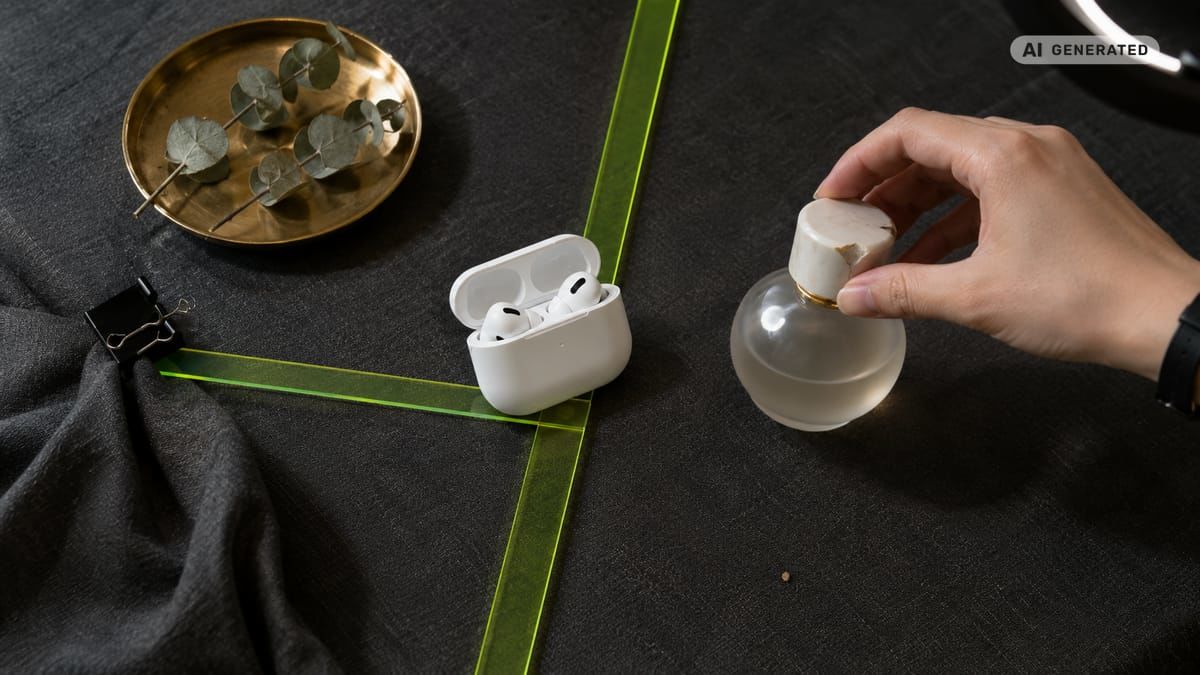
4. Generate controlled candidates
Use the verified product image as the reference or protected base. Produce several options from the same brief instead of changing the instructions after every output.
AvocAIdo generates across four models at once, allowing the reviewer to compare four interpretations side by side. A complete four-model request consumes 1,010 credits.
5. Restore exact product details
Do not rely on generated packaging text. Image models may treat letters as visual texture, producing plausible shapes rather than accurate words.
Composite the original logo and label artwork back onto the selected scene. Protect barcodes, ingredient text, certification marks, measurement labels and model numbers. If a generated scene modifies the product silhouette, return to the original cutout instead of trying to correct repeated generations.
6. Conduct visual QA
Compare the candidate with the SKU truth sheet and original photograph. Inspect the image at 200% zoom for blurry text, halos, broken transparency, asymmetrical components, inconsistent reflections and impossible shadows. Learn how to make AI photos look professional and on-brand during this review stage.
A reviewer should also ask whether the background changes the perceived scale or function of the item. A small object placed beside incorrectly sized props can mislead customers even when the product itself appears realistic.
7. Prepare channel-specific exports
Create separate files for each destination. Do not upload one square master everywhere and assume the platform will crop it correctly.
Keep the original approved file, the layered working file and each channel export. Use filenames that include the SKU, view, channel and version so an ecommerce agent or team member can connect the correct image to the correct listing.
How can exact product details be preserved?
Product fidelity depends on separating facts from creative variables. The product is factual. The surrounding scene is flexible.
Logos and packaging text
Use original vector or high-resolution label artwork as the final source of truth. Generate or edit the scene first, then composite the real packaging graphics onto the product.
Check every visible word against approved artwork. This includes small type, model names and package quantities, not just the main logo.
Materials and finishes
Reference images should show how a material reacts to light. Chrome, brushed metal, matte plastic and translucent glass require different highlights and reflections.
Compare generated reflections with the object's real surface. If AI changes matte packaging into glossy packaging, the result is materially inaccurate even if the color and geometry remain close.
Dimensions and proportions
Record the physical dimensions and include familiar props only when their scale is controlled. Do not let the model infer size from category conventions.
Overlay the generated product with the real cutout to detect stretching. Critical geometry should align before the image is approved.
Color accuracy and variations
Use a color-managed reference workflow and inspect files in sRGB when that is the required output space. Shopify guidance, for example, recommends sRGB for product imagery.
Generate each SKU variation from its own verified reference. Do not approve a recolored version just because it looks consistent with the broader palette.
Product completeness
Compare components, buttons, fasteners, handles, seams and included accessories. AI may add decorative features or duplicate repeated elements.
A product shown with an accessory that is not included can create false expectations. The approved image must match the listing description and the item delivered.
How can on-brand visuals be scaled across a catalog?
Brand consistency should be defined as a system, not a prompt copied into every generation. A useful visual standard covers palette, lighting, camera position, contrast, composition, prop style, background treatment and emotional tone. Start by creating AI-ready brand style guide templates that codify these decisions.
Create a small reference set using previously approved brand work. Each reference should represent the same visual direction. Mixing a bright editorial image, a dark product shot and a casual mobile photograph may send conflicting style signals.
Then create repeatable templates for major content types:
- White-background main image
- Product detail image
- Scale or dimension image
- Lifestyle scene
- Benefit-focused secondary image
- Square social placement
- Vertical story or short-video cover
- Wide campaign banner
AvocAIdo's Brand Style Intelligence is designed to apply a visual style extracted from references across different subjects. Unlimited saved styles are included across its listed subscription plans.
Professional and Agency plans also list more than 100 pre-built style templates. Those templates can support ideation, but a proprietary reference set is more appropriate when the objective is a recognizable brand system.
Scale in batches rather than across the entire catalog at once. Approve one product family, record recurring failure patterns, refine the template and then move to the next category. Different materials and shapes may require separate visual standards even under the same brand identity. For more on achieving visual consistency at scale, see the detailed guide.
How should images be adapted for each commerce channel?
Marketplace compliance should be checked against current official documentation before every major catalog export. Requirements can change, and main images often follow stricter rules than secondary gallery content.
| Channel | Core image specification | Practical AI use |
|---|---|---|
| Amazon | Main image uses pure white RGB 255, 255, 255. Product should occupy 85% to 100% of the frame. Longest side must be 500 to 10,000 pixels, with at least 1,000 pixels needed for zoom. | Use AI for cleanup and controlled background preparation, then validate geometry, framing and the absence of overlays. |
| Google Merchant Center | Minimum 500 by 500 pixels, approximately 1500 by 1500 recommended, maximum 64 megapixels and 16 MB. | Keep the feed image accurate and uncluttered. Use alternate lifestyle assets elsewhere in the campaign. |
| Shopify | Recommended 2048 by 2048 pixels, 1:1 ratio and sRGB color space. | Build a consistent square gallery, then add detail and lifestyle images as supporting views. |
| Feed formats include 1080 by 1080 pixels and 1080 by 1350 pixels. Stories and Reels use 1080 by 1920 pixels. | Extend backgrounds for vertical placements without stretching or regenerating the product. | |
| TikTok Shop | Product images must be at least 600 by 600 pixels. The main image requires a pure white background and must not contain added text, logos, borders or watermarks. | Keep the primary image compliant and use approved secondary assets for richer contexts. |
Specification data valid as of 2026-09-07. Sources: Amazon Seller Central, Google Merchant Center and TikTok Shop Seller University.
Personalization should happen after compliance assets are secured. A brand may then create contextual variations for different customer segments, seasons or locations while keeping the product unchanged.
Do not infer sensitive customer characteristics from an image or generate deceptive personalized claims. Keep personalization tied to declared preferences, campaign context or aggregate performance insights.
How do images support storefront search and shopping agents?
Visual content should work with structured product data rather than attempting to replace it. Search engines and shopping agents need a clear relationship among the image, SKU, title, variant, availability and landing page.
Use descriptive filenames and alt text that identify the actual product and view. Alt text should explain visible content for accessibility. It should not be filled with repeated keywords or claims that are absent from the image.
Ensure that a red variant does not inherit the image URL for a blue variant. Shopping agents may assemble information from feeds, landing pages and images, so mismatches can create incorrect customer answers even when each system appears functional in isolation.
Maintain stable primary-image URLs where the commerce platform recommends them. If images must change, update the product feed and page together. Check that image crawlers can access the files without login barriers, blocked paths or expired links.
AI-generated lifestyle scenes should also preserve semantic clarity. The product should remain identifiable, and the setting should not imply unsupported compatibility or included accessories. Product data, not image generation, remains the authoritative source for specifications.
For storefront search, measure whether new imagery changes product-page engagement, gallery interaction, add-to-cart rate and completed revenue. Image quality should be linked to commercial outcomes rather than evaluated only through internal creative preference.
How do you protect accuracy, rights and customer trust?
The core rule is straightforward: an AI image should not make the product appear to have features, quantities, results or endorsements that it does not have.
Advertising risk generally concerns deception, not merely the use of AI. Synthetic testimonials, fake customer experiences and AI-created people presented as genuine endorsers require particular caution. FTC-related guidance treats synthetic endorsements presented as real experiences as potentially deceptive.
Disclosure should be clear when a reasonable customer could mistake a synthetic person, event or demonstration for real evidence. Practical labels may include "AI-generated model" or "Background digitally created," provided the wording accurately describes what was altered.
An ordinary background replacement around an accurately represented product may present a different risk from an AI-generated person offering a testimonial. However, disclosure decisions depend on context, jurisdiction and the content of the advertisement. Legal review is appropriate for synthetic people, endorsements, regulated products and claims-led demonstrations.
The EU AI Act introduces transparency obligations for certain synthetic content, including machine-readable marking by providers and visible disclosure in deepfake contexts. Merchants operating in Europe should confirm which duties apply to their role and implementation before deploying automated content at scale.
Rights require a separate check. Confirm the tool's commercial terms, the rights to uploaded reference images, and permission to use logos, locations, artwork or a person's likeness. AvocAIdo states that a commercial license is included for outputs across all listed plans. Users must still ensure that their inputs and final creative do not infringe third-party rights.
How do you test quality and business impact?
Begin with a controlled pilot. Select one product group with stable traffic and reliable baseline data. Change one visual factor at a time so the result can be interpreted. To understand how much AI image generation actually costs, compare cost per approved image against your current production expenses.
Possible tests include:
- Existing main image against a revised compliant main image
- Existing gallery against a gallery with additional detail views
- Studio background against an AI-generated lifestyle background
- One lifestyle concept against another controlled concept
- Square social creative against a purpose-built 4:5 version
Track click-through rate, product-page conversion, add-to-cart rate, gallery engagement, return reasons and revenue per visitor. Also track operational measures such as approval rate, revision count and cost per approved asset.
A published ecommerce benchmark places healthy sitewide conversion around 2.5% to 3.2%, but category, traffic source, device and price have major effects. Your existing performance is therefore the correct control, not a broad market average.
One source reports that expanding galleries from 3 to 8 images per SKU was associated with a 14% to 22% conversion lift. Treat that as directional evidence, not a guaranteed result. More images help only when they answer customer questions and remain accurate.
Record failures as structured data. Categories might include wrong text, altered geometry, inaccurate color, unsuitable crop, impossible shadow and marketplace non-compliance. This creates operational insights that can improve the next generation batch.
What is a practical pilot and scaling roadmap?
A focused pilot should prove quality, compliance and measurable value before automation expands.
- Select a product family with complete SKU data and dependable traffic.
- Choose one use case, such as secondary lifestyle imagery.
- Prepare verified photography, label artwork and product constraints.
- Define one approved brand style and the required channel formats.
- Generate several candidates for each selected SKU.
- Restore exact packaging artwork and protected product details.
- Review every asset at 200% zoom using the same QA checklist.
- Export platform-specific files and connect them to the correct SKUs.
- Run a controlled performance test against the current visual.
- Scale only after accuracy, approval rate and commercial impact meet the team's target.
At the scaling stage, introduce automation gradually. File naming, resolution validation, folder routing and feed matching are good first candidates because they are governed by objective rules.
Creative approval, product fidelity and trust judgments should remain under human control. An agentic process should make reviewers faster, not hide uncertain decisions from them.
AvocAIdo tip
Use one approved product image and a focused brand reference set before creating variations. AvocAIdo analyzes reference imagery for attributes including palette, lighting and mood, then runs the brief through Grok Imagine, Seedream 5 Lite, NanoBanana 2 and GPT Image 2 in parallel. Compare all four results, select the closest product representation and restore exact label artwork before export. The platform supports 1:1, 16:9, 9:16, 3:4 and 3:2 aspect ratios, plus editing, resizing and 4K upscaling. Review the available plans on the AvocAIdo pricing page.
Frequently asked questions about ecommerce AI imagery
Can AI create product photos from one image?
AI can create backgrounds and contextual variations from 1 clear product image, but additional angles improve control over shape, materials and hidden components. Always compare generated candidates with the physical SKU, and composite original packaging artwork when exact text or logos are visible.
Should AI replace professional product photography?
AI is most dependable as an expansion and editing layer around verified product imagery. Preserve at least 1 accurate source photograph for each SKU, then use AI for secondary scenes, crops and campaign variants where product details can remain protected.
What image size should an online store use?
The correct size depends on the channel. Shopify guidance recommends 2048 by 2048 pixels, Google Merchant Center requires at least 500 by 500 pixels, and TikTok Shop requires at least 600 by 600 pixels. Prepare separate exports rather than forcing one file into every placement.
How do I stop AI from changing packaging text?
Do not depend on generation for exact packaging copy. Protect the original label during editing or composite approved artwork back onto the final image, then inspect every visible word at 200% zoom before publication.
Can AI images be used on Amazon?
AI-assisted images may be used when they comply with Amazon's content and accuracy requirements. The main image should have a pure white RGB 255, 255, 255 background, show the product as 85% to 100% of the frame and avoid prohibited text or graphics.
Do AI-generated product images need a label?
There is no single disclosure rule covering every ordinary product image. Disclosure deserves closer review when an image contains a synthetic person, testimonial, event or product demonstration that customers could reasonably interpret as real, especially under FTC principles and the EU AI Act.
How much does AI product imagery cost?
Costs depend on generation, editing, review and the percentage of outputs that become usable assets. AvocAIdo plans are listed at €19, €49 and €99 per month, while one four-model generation uses 1,010 credits. Compare cost per approved image, not merely cost per generation.
How can I measure whether new images improve sales?
Run a controlled test against the existing image and track click-through rate, conversion, add-to-cart rate, returns and revenue per visitor. Keep the SKU, offer and traffic source stable, and test 1 major visual change at a time so the result remains interpretable.
Next step
Choose one well-documented SKU and prepare its product photograph, label artwork and visual brief. Then start an AvocAIdo trial to compare four parallel model outputs. The trial includes 4,000 credits and does not require a credit card.
Zdroje
Ready to create your own images?
Bring a brief or a reference image. Explore the possibilities with four AI models.
Free credits to start · No credit card