AI Image Examples, Generation, Prompts & Verification
Explore visual examples of AI, image generation methods, prompt techniques, common defects and ways to verify AI-generated pictures.
Turn this inspiration into your own images.
Bring a brief or a reference image. Explore the possibilities with four AI models.
Free credits to start · No credit card

Artificial intelligence with pictures includes systems that generate, recognize, classify, edit or search visual content. Common examples range from text-to-image generators and product photography tools to facial recognition, visual search and medical image analysis. This guide shows what these applications look like, how AI photos are made and how to assess their quality and provenance.
Methodology: This guide is based on official platform documentation, AI provenance standards and published image-generation workflows available as of September 7, 2026.
Visual artificial intelligence in short
- Visual AI can generate a new picture, analyze an existing one or modify selected parts of an image.
- Text-to-image, image-to-image, inpainting, outpainting and style transfer are 5 distinct visual AI workflows.
- A useful image prompt specifies at least 4 elements: subject, setting, lighting and visual style.
- Generating 4 interpretations of one brief makes it easier to compare composition, realism and style before refining a direction.
- C2PA Content Credentials use a signed manifest to communicate an image's origin and editing history.
- SynthID embeds an imperceptible digital watermark directly into supported AI-generated media.
- Every published AI visual should receive accurate alt text and, where context requires it, a clear AI-generation disclosure.
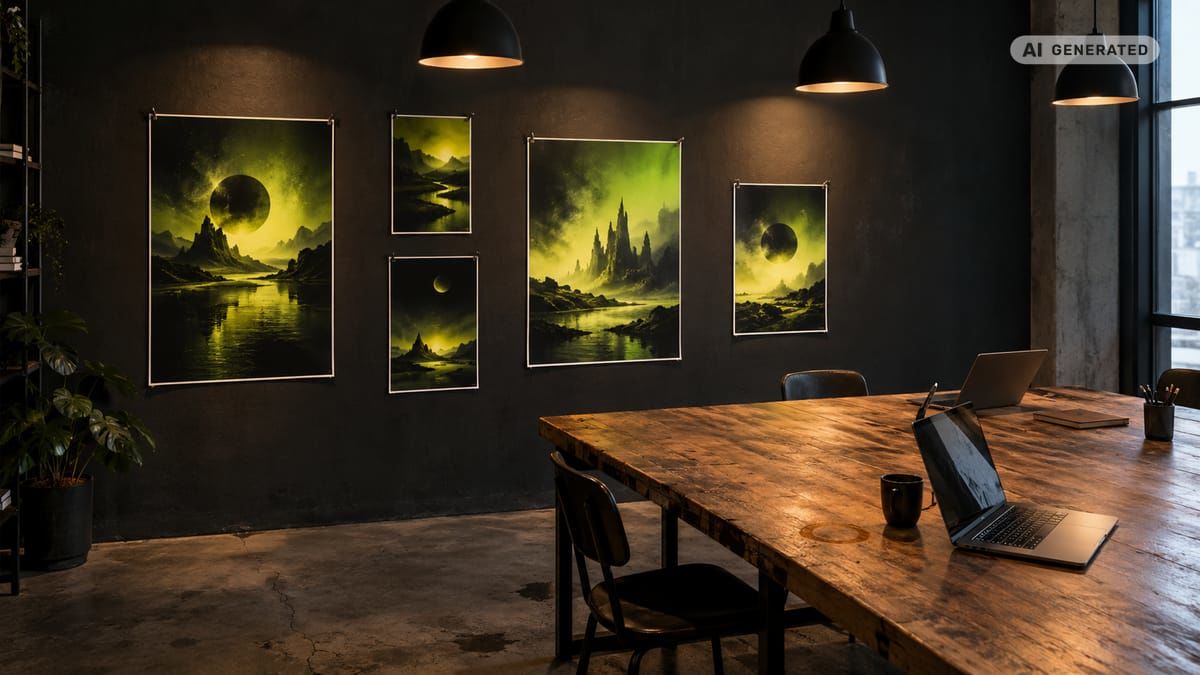
Checklist for creating useful AI visuals
- Define the business purpose before opening an image generator.
- Choose text-to-image, editing or another workflow based on the source material.
- Describe one primary subject rather than combining unrelated ideas.
- Specify the setting, lighting, composition and intended mood.
- Select the final aspect ratio before refining small details.
- Generate several interpretations and compare them side by side.
- Inspect hands, faces, text, shadows, reflections and product geometry.
- Correct one defective area instead of restarting the whole composition.
- Confirm commercial terms before publishing the image.
- Add descriptive alt text, relevant disclosure and available provenance data.
Made with AvocAIdo
Your product. Your style. Four possibilities.
Turn a product photo and a style reference into studio-style images. Compare AI models in one place.


Saved examples · 4 AI models




Free credits to start · No credit card
What is artificial intelligence, and how can you recognize it?
Artificial intelligence is the broad field of building computer systems that perform tasks associated with human intelligence. These tasks include interpreting language, finding patterns in data, recognizing objects and creating digital content.
Machine learning is one way to develop AI. A machine learning system learns patterns from examples rather than relying only on manually written rules. Generative AI is a further category that creates new material, such as text, images, audio or video. To understand what an AI model actually is, it helps to see how these categories relate to one another.
A picture can illustrate these distinctions:
- Artificial intelligence: The outer category containing reasoning, language and perception systems.
- Machine learning: A category within AI that learns patterns from training data.
- Generative AI: Systems that create new content based on learned patterns.
- Visual generative AI: Systems focused on creating or editing pictures.
Not every use of AI generates content. A visual search engine may identify similar objects in a photograph, while a text-to-image model creates a new scene from written instructions.
What are everyday examples of artificial intelligence with pictures?
Everyday examples of artificial intelligence become easier to understand when each application is paired with a picture of its input and output.
Computer vision and facial recognition
Computer vision systems analyze pixels to identify objects, faces, text or activity. A visual example might show a street photograph with labeled boxes around pedestrians, bicycles, traffic lights and cars.
Facial recognition is a more specific application. It compares measurable facial features, while basic face detection only determines that a face is present. These technologies require careful governance because a plausible match is not automatically proof of identity.
Maps, search and recommendation systems
Maps can use AI to interpret road conditions, estimate routes or categorize places. Visual search applications let a person submit a photograph instead of typing a query, such as taking a picture of a chair to locate visually similar designs.
Recommendation systems work differently. They analyze behavior and other data to rank products, videos, music or search results that may be relevant to a specific user.
Assistants and language tools
AI assistants, chatbots, translation software and autocorrect tools process text rather than pictures. However, multimodal AI models can interpret both language and visual content, such as explaining a chart or identifying elements in an uploaded photograph.
A useful illustration could show 3 stages: the uploaded image, the user's question and the assistant's written response.
Healthcare, education and finance
In healthcare, visual AI can assist qualified professionals with analyzing medical images. It should not be presented as an independent diagnosis or a substitute for clinical judgment.
Education applications include adaptive learning, automated feedback and visual explanations. Finance and digital payment systems may use AI to detect unusual transaction patterns, classify documents or extract data from receipts.
Manufacturing and business
Manufacturing systems can use cameras to flag visible defects, check whether components are present or monitor production lines. Business applications include document processing, product catalog enrichment and image classification.
For example, an inspection picture might compare 2 components: one matching the expected shape and another marked for human review because of a visible surface defect.
How does AI image generation turn text into visuals?
A text-to-image system converts a natural-language description into a new visual composition. The user describes what should appear, and the model creates an image based on patterns learned during development. Understanding the types of AI models used for image generation helps explain why different tools produce different results.
The process can be understood in 4 stages:
- Interpretation: The model identifies subjects, relationships, settings and style instructions in the text.
- Composition: It determines where major visual elements should appear.
- Rendering: It generates color, texture, lighting and detail.
- Selection: The user compares the results and chooses or revises the strongest direction.
Many workflows generate multiple variations because the same words can support different visual interpretations. The user remains responsible for checking whether the image represents the brief accurately.
Modern tools may also accept reference pictures. A reference can guide composition, character appearance, product shape or visual style, depending on the system and its controls.
Which AI model examples show what prompts can do?
The following AI model examples demonstrate how prompt specificity changes the intended result. Each pair starts with a broad prompt and adds visual direction without making the language unnecessarily technical. For a broader view, see this list of AI models for image generation.
Photorealistic lifestyle scene
Initial prompt: "A person working in a café."
Revised prompt: "Editorial lifestyle photograph of a creative professional reviewing packaging sketches at a quiet café table, soft window light from the left, muted green and cream palette, natural posture, shallow depth of field, landscape composition."
The revised version defines the subject, activity, light direction, palette, mood and composition. The resulting image should still be checked for hands, legible sketches and realistic contact between objects.
Editorial illustration
Initial prompt: "A city using artificial intelligence."
Revised prompt: "Editorial illustration of a modern city using artificial intelligence for transport, energy and public services, simplified geometric buildings, restrained blue and orange palette, clean negative space, vertical magazine-cover composition."
This prompt avoids an undefined futuristic aesthetic. It gives the model 3 concrete applications and a limited visual language.

AI product photos
Initial prompt: "A bottle on a table."
Revised prompt: "Premium product photograph of one amber glass bottle on a pale stone pedestal, warm side light, soft beige background, controlled reflection beneath the bottle, centered composition, space for copy above, portrait format."
AI product photos require close inspection. Labels, logos, cap geometry, reflections and package proportions may need editing even when the overall lighting appears convincing.
Infographic concept
Initial prompt: "Explain how AI makes images."
Revised prompt: "Four-panel educational infographic showing prompt input, visual interpretation, image generation and human review, flat vector icons, white background, blue and green accents, clear visual hierarchy, no decorative text."
Image models may render typography inaccurately. A practical workflow is to generate the visual structure first, then add final text in a design application.
How do the main AI image workflows differ?
Five workflows can alter visual content in fundamentally different ways:
| Workflow | Starting input | What changes | Practical example |
|---|---|---|---|
| Text-to-image | Written brief | Creates a new picture | Generate a campaign scene from a description |
| Image-to-image | Source picture and instruction | Reinterprets the whole picture | Turn a sketch into a polished illustration |
| Inpainting | Picture with a selected area | Replaces one local region | Change a damaged label or background object |
| Outpainting | Picture and expanded canvas | Creates content beyond existing edges | Convert a square image into a wide banner |
| Style transfer | Picture and style reference | Changes visual treatment | Apply a consistent editorial color and lighting direction |
Inpainting is appropriate when 1 local detail is wrong but the rest of the composition works. Outpainting is more suitable when the image needs additional space for a web header, advertisement or other format. For a deeper look at these techniques, read about how AI photo editing works.
Style transfer does not automatically guarantee brand consistency. Teams should compare color, lighting, composition and texture across the complete image set rather than judging one picture in isolation.
How can you make AI photos step by step?
Use a controlled workflow instead of repeatedly adding random adjectives to a prompt. For a complete walkthrough, see our step-by-step guide to editing photos with AI.
- Choose one objective. Decide whether the picture is for a product page, presentation, social post or campaign.
- Define the subject. State what appears and what the subject is doing.
- Describe the environment. Specify the background, location and supporting objects.
- Direct the light and mood. Include light direction, softness, color temperature and atmosphere.
- Set composition and format. Choose close-up, wide shot, centered framing or negative space, plus the required aspect ratio.
- Generate several options. Compare composition and factual accuracy before polishing details.
- Refine one issue at a time. Correct the pose, background, lighting or camera angle without replacing a successful direction.
- Review and export. Inspect the final picture at full size, then prepare alt text and disclosure.
For a series, keep stable instructions together. Reuse the same palette, light direction and composition principles while changing only the subject or scene. Learn how to make AI photos look professional and on-brand when producing assets for campaigns.
What common AI image failures should you inspect?
An attractive image can still contain structural errors. Review at least 6 areas before publication:
- Hands and limbs: Look for extra fingers, merged joints or unnatural grip.
- Text and symbols: Check every label, sign, number and interface element.
- Reflections: Confirm that reflected objects correspond with the scene.
- Shadows: Compare shadow direction with the visible light source.
- Repeated objects: Inspect crowds, shelves, windows and patterned surfaces for accidental duplication.
- Object geometry: Check packaging edges, furniture legs, wheels and architectural lines.
A useful visual diagnostic places 4 enlarged crops beside the full image: hand, label, reflection and shadow. Each callout should identify the exact defect rather than use a general label such as "looks AI."
How can you identify an AI-generated picture?
Visual inspection alone cannot reliably determine whether every picture was generated by AI. Provenance signals can provide stronger evidence, although the absence of a signal does not prove that an image is human-made.
C2PA Content Credentials function like a record of digital content history. They can carry a cryptographically signed manifest describing origin, edits and whether an asset was generated, captured or modified with AI. C2PA describes the system as a "nutrition label" for digital content.
Microsoft states that images generated through Azure OpenAI include C2PA-based Content Credentials. These can be inspected through compatible verification tools. (zdroj: Microsoft)
Google DeepMind's SynthID takes another approach by embedding an imperceptible watermark directly into supported AI-generated content. C2PA and invisible watermarking are complementary: one communicates signed provenance information, while the other embeds a signal into the media.
Visible watermarks and written disclosures add a human-readable layer. For a fully generated campaign image, practical disclosure language is: "Image generated with artificial intelligence and reviewed by the creative team."
How should AI pictures be made accessible?
Alt text should explain the picture's meaningful content and purpose, not the production process alone. "AI-generated image" is not sufficient because it tells a screen-reader user nothing about the scene.
For example:
Weak alt text: "AI picture of a product."
Useful alt text: "Amber glass bottle centered on a pale stone pedestal, lit warmly from the left against a beige background."
Keep nearby disclosure separate when generation method matters. Decorative visuals can use empty alt text, while charts and infographics need a text equivalent containing their essential information. Never place important instructions only inside an AI-generated image.
What are the benefits, limitations and future of visual AI?
Visual AI can accelerate concept exploration, create variations and adapt compositions across formats. It can also make illustration and image creation more accessible to professionals without advanced rendering skills. If you are evaluating tools, find out how much AI image generation costs across different platforms.
Limitations include factual errors, inconsistent characters, malformed objects, inaccurate text and uncertain representation of protected brands or real people. Human review remains necessary, particularly for commercial, educational and public-facing content.
The future is likely to combine generation, editing and provenance more closely. A creative team may generate 4 directions, edit one selected region, expand the final canvas and preserve a signed content history within one workflow. The important development is not generation alone, but greater control over what changed, who approved it and how its origin can be verified.
AvocAIdo tip
For brand work, compare several model interpretations before investing time in detailed revisions. AvocAIdo sends each generation across 4 current models in parallel: Grok Imagine, Seedream 5 Lite, NanoBanana 2 and GPT Image 2. Its Brand Style Intelligence uses reference photos to guide characteristics such as palette, lighting and mood across different subjects.
ArtDirector AI also converts plain-language descriptions into model-oriented prompts. Review the platform workflow or compare the available plans and credit costs before choosing a production setup.
Frequently asked questions
What is a simple example of visual AI?
Object recognition is a simple example: a computer analyzes a picture and labels visible items such as a bicycle, person or traffic light. A clear demonstration uses 2 panels, with the original photograph on the left and labeled detection boxes on the right.
How detailed should an image prompt be?
Start with at least 4 elements: subject, setting, lighting and style. Add composition, palette or aspect ratio only when they affect the intended use, such as leaving negative space above a product for advertising copy.
Can AI create realistic product photography?
AI can create realistic-looking product scenes, backgrounds and lighting concepts. Every result should still pass a 6-point review covering geometry, labels, logos, shadows, reflections and contact between the product and its surface.
What is the difference between image-to-image and inpainting?
Image-to-image can reinterpret most or all of an existing picture. Inpainting changes 1 selected region, making it the more controlled option for replacing a background object, repairing a label area or correcting a hand while retaining the surrounding composition.
Can Content Credentials prove that a picture is AI-generated?
A valid C2PA credential can provide signed information about origin, edits and digital source type. However, no credential does not prove that a picture is authentic, because metadata can be absent or removed during a platform's export and processing workflow.
How many results should I compare before choosing an image?
Comparing 4 interpretations is a practical way to assess different compositions without judging the first result in isolation. Evaluate each against the same brief, then refine the strongest direction rather than combining unrelated changes across every version.
Should AI-generated images have alt text?
Yes, informative AI images need alt text just like other meaningful web visuals. Describe the essential subject and purpose in 1 or 2 concise sentences, then provide the AI disclosure separately if the generation method is relevant to the audience.
Next step
Create one focused brief, define its subject, setting, lighting and intended format, then test how 4 models interpret it in parallel. AvocAIdo offers a free trial with 4,000 credits and does not require a credit card. Start the trial.
Zdroje
Ready to create your own images?
Bring a brief or a reference image. Explore the possibilities with four AI models.
Free credits to start · No credit card