AI Tools for Photo Editing for Marketing Teams
Compare AI photo editing tools for campaign creation, product images, brand consistency, bulk processing, approvals and commercial use.
Turn this inspiration into your own images.
Bring a brief or a reference image. Explore the possibilities with four AI models.
Free credits to start · No credit card

AI tools for photo editing automate or simplify tasks such as background removal, object cleanup, enhancement, resizing, generative fill and creative styling. For marketing teams, the right toolkit can accelerate production while helping preserve brand consistency. This guide matches leading tool categories to campaign workflows, from initial concepts to approved social, advertising and ecommerce assets.
AI photo editing toolkits in short
- Full editors combine generative changes with detailed manual control, while specialist tools focus on one workflow such as product photography or upscaling.
- Cybernews identifies 5 principal categories: full editors, enhancers, background tools, product suites and face-focused tools. (zdroj: Cybernews)
- AvocAIdo runs Grok Imagine, Seedream 5 Lite, NanoBanana 2 and GPT Image 2 in parallel.
- Picsart can apply the same batch settings to 50 images, according to Cybernews.
- Marketing teams should test every candidate with the same 3 assets: a product photo, portrait and social advertisement.
- Commercial rights, source-image permissions, privacy terms and human approval should be checked before campaign publication.
- No single application excels at every editing task, so the best toolkit may combine an all-in-one workspace with specialist services. For a detailed ultimate comparison of AI-powered photo editing tools, see our dedicated guide.
Checklist
- Define the approved palette, lighting, backgrounds and product appearance.
- Select 3 representative assets for a controlled tool comparison.
- Record completion time and correction time for every test.
- Check whether batch actions preserve crops, shadows and product edges.
- Test the exact aspect ratios required by each marketing channel.
- Confirm that logos and packaging text remain accurate after editing.
- Examine workspace access, approval and version-history controls.
- Review commercial-use rights and uploaded-image privacy terms.
- Calculate costs using expected monthly actions, exports and users.
- Require human approval before publishing any AI-edited campaign asset.
Methodology: This guide is based on current 2026 tool evaluations from DataCamp, Cybernews and Zapier, together with published product information from AvocAIdo.

Made with AvocAIdo
Your product. Your style. Four possibilities.
Turn a product photo and a style reference into studio-style images. Compare AI models in one place.


Saved examples · 4 AI models




Free credits to start · No credit card
What can AI tools for photo editing do for marketers?
AI photo editors use automated image analysis and generative models to perform work that previously required selections, masks, layers or manual retouching. Common functions include removing a background, replacing an object, extending a canvas, improving resolution, reducing noise and adapting one image to multiple social formats.
Cybernews groups the market into 5 broad categories: full editors, enhancers and upscalers, background and object tools, product photography suites and face or headshot tools. This distinction matters because tools within each category solve different marketing problems.
A full editor is useful when designers need local control over individual pixels and layers. A product suite is better suited to repeatable catalog work, while an enhancer may be the final stage before an asset goes to print, a marketplace or a high-resolution advertisement.
Prompt-based editing also changes how non-designers participate. A marketer can request a new setting or expanded composition in plain language, but human review remains necessary. Cybernews found that no tested application completed every editing task flawlessly, making art direction and quality assurance essential rather than optional. Understanding the must-have features for brand managers evaluating AI photo editing tools can help teams focus their assessment.
How should a marketing team choose an AI editor?
Begin with the workflow, not a list of impressive features. The best AI tool for photo editing is the one that handles the team's recurring asset type while fitting its approval, governance and publishing process.
Assess candidates across these 7 criteria:
- Task fit: Determine whether the tool is designed for detailed retouching, product catalogs, campaign variations, social content or enhancement.
- Output accuracy: Inspect edges, hands, faces, reflections, text, packaging and brand marks at full resolution.
- Brand control: Look for reference images, approved templates, shared brand kits and repeatable style settings.
- Batch capability: Establish whether edits, backgrounds, sizes and export settings can be applied across large image sets.
- Collaboration: Check shared workspaces, comments, approval states, role permissions and version history.
- Integration: Identify required connections to the team's DAM, CMS, ecommerce store or social scheduler.
- Commercial terms: Review licensing, privacy, retention and permitted uses for uploaded and generated content.
Cost comparisons should reflect real production. Credit-based products may charge separately for generation, resizing and enhancement, while seat-based subscriptions may become more expensive as a team grows. A credible estimate therefore needs at least 1 month of expected users, actions and final exports. Our pricing guide for AI image generation platforms can help with budget planning.
Which all-in-one platforms suit marketing teams?
All-in-one platforms are appropriate when a team wants ideation, editing, design and export in a relatively unified workspace. Three distinct approaches stand out. For a broader view, consult our buyer's guide to AI-powered photo editing apps for creative teams.
Adobe Photoshop
DataCamp named Photoshop its best overall AI photo editor for 2026 and reported a G2 rating of 4.6 out of 5 from approximately 13,000 reviews. (zdroj: DataCamp) Its combination of manual selections, layers and generative editing makes it suitable for professional retouching where designers need granular control.
The trade-off is operational complexity. Photoshop can be more application than a social marketer needs for simple resizing or background removal, but it remains relevant when precise corrections and layered source files are mandatory.
Canva
Canva is oriented toward quick content assembly, templates and brand-controlled social production. DataCamp highlights its accessible workflow, while Cybernews identifies it as particularly relevant to marketers. Shared brand controls can help teams reuse approved visual elements rather than recreate each asset from scratch.
It is a practical option for layout and channel adaptation. Teams should still inspect generative edits closely when accurate product geometry, packaging or small text matters.
AvocAIdo
AvocAIdo takes an art-direction-first approach. It generates 4 interpretations in parallel using Grok Imagine, Seedream 5 Lite, NanoBanana 2 and GPT Image 2, allowing the user to compare the results from one brief.
Its Brand Style Intelligence analyzes reference imagery for attributes such as palette, lighting and mood, and it is designed to apply the resulting style across different subjects. The platform also includes editing, resizing, zoom and 4K upscaling functions. (zdroj: AvocAIdo)
This makes AvocAIdo the recommended starting point when a marketing team's priority is producing and adapting campaign imagery around a defined visual style rather than performing traditional layer-based retouching.
Which tools are best for product photography?
Product teams need consistency before novelty. Images should maintain accurate proportions, recognizable packaging, stable product colors and repeatable framing across a catalog.
DataCamp identifies Photoroom as a strong product and ecommerce option, citing functions such as background removal, AI Shadows, product staging and marketplace integration. Pixelcut is another catalog-oriented choice, with batch export and team features. DataCamp reports collaboration tiers designed around 3-person and 10-person teams, illustrating how product tools increasingly combine automation with shared production.
Fotor also offers AI batch editing in higher service tiers. These platforms can be useful when the central task is preparing existing product photography for listings, rather than creating an entire campaign concept.
Use a 4-part product-image inspection:
- Compare the edited product against the original at full resolution.
- Check fine edges, transparent areas, handles and reflective surfaces.
- Confirm that labels, logos and legally required packaging details are unchanged.
- Review the entire catalog as a grid to identify inconsistent scale or alignment.
Batch volume alone is not proof of production quality. Cybernews reports that Picsart can apply the same settings to 50 images at once, but each batch still needs exception handling for unusual shapes, shadows and low-contrast edges.
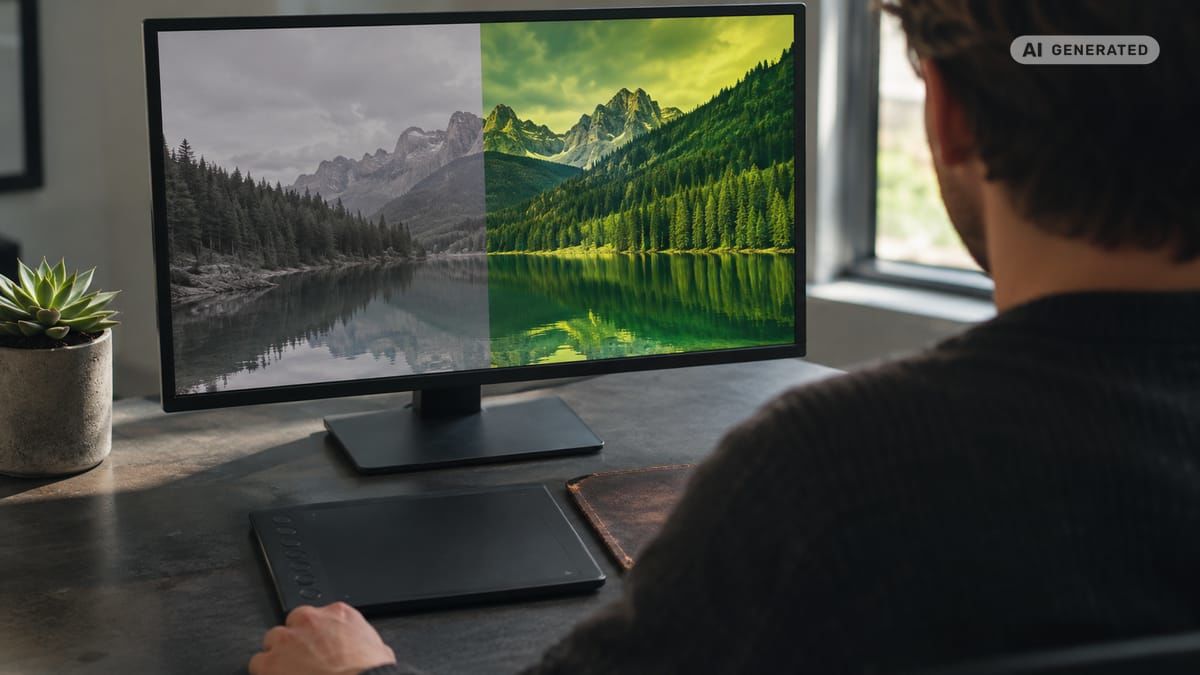
What works for background removal and object cleanup?
Background removal tools isolate a subject and return either a transparent file or an image on a replacement background. Object-cleanup tools reconstruct the area behind an unwanted object, person, reflection or piece of text.
Specialist product platforms such as Photoroom and Pixelcut are suitable when background removal is part of a larger catalog workflow. Picsart adds bulk-oriented editing, while full editors such as Photoshop provide more control over difficult masks and reconstructed areas.
Choose between these options according to complexity:
- Simple, high-contrast products: A specialist one-click remover may be sufficient.
- Large catalogs: Prioritize batch queues, standardized canvas sizes and predictable file naming.
- Hair, glass or translucent material: Use a tool with manual mask refinement.
- Complex object removal: Select an editor that supports local corrections after the initial AI fill.
White-background automation also requires explicit standards. Define the canvas dimensions, product occupancy, alignment, shadow policy and background color before processing the first batch. Otherwise, a technically clean cutout may still fail the visual requirements of the catalog.
Which tools handle generative fill and transformation?
Generative fill replaces or reconstructs a selected part of an image from a written instruction. Generative expansion extends the canvas beyond the original frame, which is particularly useful when adapting one campaign photograph to 1:1, 16:9 and 9:16 placements.
Photoshop is well suited to controlled fill inside a professional editing environment. Canva provides a more accessible workflow for marketers assembling finished layouts. AvocAIdo supports editing, resizing and zoom operations alongside its multi-model image workflow.
These capabilities are useful for creating additional copy space, changing a nonessential background element or adapting a composition. They should not be treated as permission to modify critical product details.
A safe transformation brief separates fixed and flexible elements:
- Fixed: product geometry, logo, label text, campaign colors and required disclosures.
- Flexible: background scene, decorative props, empty copy space and nonessential lighting accents.
- Review required: faces, hands, reflections, shadows, fine typography and product contact points.
Generate several options, then select the one requiring the fewest corrections. A single plausible output is not necessarily the most accurate one.
What should teams use for enhancement and upscaling?
Enhancement tools address technical quality rather than campaign ideation. Typical functions include sharpening, noise reduction, exposure correction, face recovery and resolution enlargement.
Cybernews places these products in a separate category because their role is narrower than that of a full editor. Luminar Neo is positioned around AI-assisted photo enhancement, while photographer-focused comparisons also identify Topaz Photo AI and Lightroom as relevant options for cleanup and high-resolution workflows. (zdroj: Zapier)
Upscaling cannot recreate every missing detail accurately. Teams should inspect typography, eyes, jewelry, patterned fabrics and hard product edges after enlargement. Artificial texture may look convincing at normal viewing size while becoming obvious in print or close crops.
AvocAIdo offers 4K upscaling at a published cost of 600 credits per operation. Because enhancement consumes additional credits in many AI systems, include it as a separate line in campaign cost planning rather than assuming it is part of the initial generation.
How can teams create brand-consistent campaign assets?
Brand consistency depends on documented decisions, not just a powerful model. Approved colors, contrast, composition, lighting, product representation and typography should be converted into a repeatable production specification. Teams looking to maintain visual consistency at scale with AI photo editing should start with clear documentation.
Reference-led styling can help with visual qualities that are difficult to describe in a short prompt. AvocAIdo analyzes uploaded references for style characteristics such as palette, lighting and mood. (zdroj: AvocAIdo) Its available aspect ratios include 1:1, 16:9, 9:16, 3:4 and 3:2, supporting common campaign compositions.
For a controlled brand workflow:
- Select approved reference images from previous campaigns.
- Define fixed attributes, including palette, product treatment and lighting.
- Write one plain-language campaign brief.
- Generate or edit a master composition.
- Compare alternatives before selecting the visual direction.
- Adapt the approved image to required channel ratios.
- Review all sizes together for consistency.
- Record the final settings and references for the next asset batch.
AvocAIdo's ArtDirector AI converts plain-language descriptions into model-optimized prompts. This can reduce dependence on one team member's prompt-writing technique while keeping the final selection with the marketer or art director. Preparing AI-ready brand style guide templates before the first session helps ensure repeatable results. To make AI-generated photos look professional and on-brand, combine documented style attributes with consistent reference imagery.
How do you benchmark an AI photo editor?
A repeatable benchmark is more useful than comparing feature pages. Use the same 3 source files and identical instructions for every candidate: one product image, one portrait and one social advertisement.
Score each tool from 1 to 5 across accuracy, brand consistency, correction effort, speed and usability. Add operational checks for batch processing, exports, collaboration and integrations.
| Test asset | Required task | Primary inspection |
|---|---|---|
| Product photo | Remove and replace background | Edges, label, color, shadow |
| Portrait | Remove an object and adjust setting | Face, hair, hands, skin texture |
| Social advertisement | Expand into 2 new ratios | Typography, composition, copy space |
Time the initial AI action and the subsequent correction work separately. A fast result that requires 12 minutes of repair may be less efficient than a slower generation that needs only 2 minor adjustments.
Keep prompts, original files and exports in a shared benchmark folder. Repeating the test after a major model update will show whether quality has improved or simply changed.
How do you build a campaign editing workflow?
The most efficient AI workflow separates creation, correction, approval and distribution. Combining every stage in one uncontrolled workspace makes it difficult to identify which asset is approved.
A practical sequence is:
- Brief: Define the audience, channel, fixed brand elements and desired action.
- References: Attach approved campaign and product imagery.
- Creation: Generate several compositions or edit the source image.
- Selection: Choose one direction based on accuracy and brand fit.
- Correction: Repair details and verify products, logos, faces and text.
- Adaptation: Resize the master for each required placement.
- Approval: Route final versions to the responsible brand owner.
- Distribution: Export to the DAM, CMS, ecommerce store or scheduler.
- Archive: Save the prompt, references, settings and approved outputs.
Version names should communicate status rather than personal ownership. A simple structure can distinguish working, review and approved files without relying on memory. Keep the unedited source and final approved asset as separate versions.
For large catalogs, pilot the process on a varied sample before launching a full batch. A 50-image test can reveal edge cases involving glass, shadows, pale products and unusual crops before those problems spread across the catalog. Teams with complex approval requirements should also evaluate enterprise-grade AI photo editing software features such as role permissions and version history.
What privacy and commercial-use checks matter?
Before uploading customer, employee or unreleased product imagery, review the platform's terms for storage, deletion, model training and account access. Determine whether administrators can restrict who uploads, generates, approves and exports assets.
Commercial permission is separate from factual or legal suitability. AvocAIdo states that a commercial license is included with outputs on all plans. Teams must still have permission to use source photographs, logos, trademarks and identifiable people.
Create a pre-publication record containing at least 4 items: the original source, edit instruction, final approved file and approving person. Sensitive or regulated campaigns may require additional legal review and disclosure based on the market, medium and nature of the generated content.
Do not assume an AI tool will preserve disclaimers, labels or trademarks accurately. Compare every critical element with the approved source before export.

AvocAIdo tip
Start by building one visual style from a small set of approved campaign references. AvocAIdo's Brand Style Intelligence is available across its plans and is designed to carry visual characteristics across different subjects. Run the same brief through its 4 current models in parallel, compare the interpretations and select the strongest candidate rather than committing to the first result. The platform also provides edit, resize, zoom and 4K upscale functions for adapting the chosen asset. Review the current plans against your expected generation and editing volume.
Frequently asked questions
What is the best AI photo editor for marketing?
The best choice depends on the workflow. Use a full editor for precise retouching, a product suite for catalog automation and a style-led platform for campaign creation. Compare at least 3 representative assets and include correction time, brand consistency, commercial terms and export requirements in the decision.
Can AI edit professional campaign photos?
Yes, AI can assist with background changes, object cleanup, enhancement, resizing and generative expansion. Professional use still requires human quality control, especially for faces, hands, logos, labels and typography. Review the result at 100 percent zoom and compare critical product details against the original source.
Which editor is suitable for social media content?
Canva is oriented toward templates and quick channel layouts, while AvocAIdo supports 1:1, 16:9, 9:16, 3:4 and 3:2 image ratios. Select the platform according to whether the primary need is layout assembly or the creation of style-consistent campaign imagery.
Can these tools process photos in bulk?
Some can. Cybernews reports that Picsart applies the same settings to 50 images in its batch editor, while DataCamp highlights batch capabilities in tools such as Pixelcut and Fotor. Before processing a complete catalog, test a varied batch containing reflective, transparent, pale and irregularly shaped products.
How can a team keep AI-edited images on brand?
Document fixed attributes such as palette, lighting, background, product scale and contrast, then use approved references or brand controls. Review at least 3 output types together, such as a product asset, portrait and social advertisement. Store the chosen references and settings with the approved campaign files.
Are AI-edited images safe for commercial use?
Commercial use depends on the platform's license and the rights attached to every source asset. Confirm permission for photographs, people, logos and trademarks before publication. Keep 4 records for each approved asset: its source, editing instruction, final file and approving person.
How much human editing is still necessary?
The amount varies by task and source quality. Simple background changes may need only edge inspection, while generated hands, packaging or small text can require substantial repair. Measure human correction separately during a 3-asset benchmark so apparently fast automation does not hide additional production time.
Next step
Create a controlled test using one product image, one portrait and one social asset. You can start AvocAIdo without a credit card and receive 2,000 free credits to compare its parallel model outputs and evaluate whether the workflow fits your brand standards.
Zdroje
Ready to create your own images?
Bring a brief or a reference image. Explore the possibilities with four AI models.
Free credits to start · No credit card