Best AI Tools for Photo Editing: Brand Toolkit
Compare the best AI photo editors for brand consistency, campaigns, product images, social content, licensing and approval workflows.
Make your next image feel like your brand.
Use a style reference to guide the look of your product images.
Free credits to start · No credit card

The best AI tools for photo editing depend on the brand task. Photoshop is the strongest all-around professional editor, Photoroom suits repeatable product imagery, Canva supports fast marketing design, and AvocAIdo's brand-consistent image generation platform adds style-locked, multi-model image generation. This guide shows brand managers how to assemble these tools into a consistent, commercially practical creative workflow.
AI photo editing tools in short
- Adobe Photoshop is the broadest professional option, combining layer-based editing with Firefly, Gemini 3 and FLUX.2 Pro in one workflow.
- Adobe Lightroom is a strong choice for RAW processing, with a 9.1 out of 10 rating in one 2026 editorial comparison.
- Photoroom is designed for e-commerce tasks such as background removal, product staging, AI shadows and catalog standardization.
- Canva is suitable for fast social and marketing content, particularly when non-designers need templates and accessible AI editing.
- AvocAIdo runs Grok Imagine, Seedream 5 Lite, NanoBanana 2 and GPT Image 2 in parallel for each generation.
- Brand managers should assess commercial-use permission, indemnification, product accuracy and cost per approved asset, not subscription price alone.
- Every AI-edited campaign image should pass at least 2 review stages: visual quality control and brand, legal or product approval.

Checklist for choosing an AI photo editor
- Define the exact image tasks the software must handle.
- Separate photo correction, image generation and layout design requirements.
- Test exact brand colors, logos and packaging across repeated edits.
- Check whether typography remains editable rather than AI-generated.
- Review commercial-use terms for the selected subscription tier.
- Confirm whether indemnification applies to your plan and use case.
- Preserve original files and compare every generated version with them.
- Measure subscription, credit, review and rework costs together.
- Connect approved assets to a DAM or controlled asset library.
- Require human approval before publishing product or campaign images.
Made with AvocAIdo
Your product. Your style. Four possibilities.
Start with your product and a style reference. Explore four AI interpretations of the look you want.


Saved examples · 4 AI models




Free credits to start · No credit card
What can AI photo editing tools do for brand teams?
AI photo editing tools use artificial intelligence to automate or accelerate visual tasks that previously required detailed manual selections, masks and retouching. In 2026, these platforms can remove backgrounds, replace objects, extend scenes, isolate subjects, adjust lighting, upscale images and generate new visual elements from text prompts.
The category now includes several distinct types of software:
- Professional image editors: Tools such as Adobe Photoshop combine generative functions with layers, masks, typography and detailed manual controls.
- RAW and batch processors: Lightroom applies adjustments, AI masks and presets across groups of photos.
- Product photography platforms: Photoroom standardizes backgrounds, shadows, framing and product presentation.
- Template-led design platforms: Canva combines image editing with layouts for social posts, presentations and advertisements.
- Enhancement tools: Luminar Neo and Topaz Photo AI focus on tasks such as correction, denoising, sharpening and upscaling.
- Generative image platforms: AvocAIdo creates new images from a brief and brand references across 4 models in parallel.
That distinction matters. Generating a campaign concept is not the same task as correcting a RAW photograph or preparing 200 product images for a catalog. A brand team may therefore need a toolkit rather than one nominally "best" application.
The most useful AI features also carry a new risk. Generative editing can alter product details, create unreadable packaging text or introduce objects that were never present. Human review remains required even when the initial image looks professional.
How were the best AI tools for photo editing evaluated?
This guide is based on current product information, licensing analysis and published 2026 comparisons from DataCamp, Zapier, SaaSCRMReview, Jotform, Photoroom, Brandfolder and other cited sources, rather than an independent hands-on benchmark.
For brand managers, image quality is only one part of the evaluation. The following 7 criteria offer a more useful professional framework. For a deeper look at the 10 must-have features brand managers should look for, see our dedicated feature guide.
1. Editing control
The tool should let a professional author or designer correct the AI result. Layers, masks, editable text, selection controls and version history are more valuable than a visually impressive one-click output that cannot be repaired.
Photoshop remains the benchmark here because it places generative features inside a mature layer-based environment. A 2026 DataCamp review reports that its current workflow includes Adobe Firefly, Google Gemini 3 and FLUX.2 Pro. (zdroj: DataCamp)
2. Brand consistency
Brand teams need repeatable treatment of color, composition, lighting, product scale and negative space. A good result once is less useful than a reliable visual system across 10 campaign formats.
Photoroom addresses this through Brand Kit rules for backgrounds, padding, colors, logos and formats. AvocAIdo approaches consistency earlier in the process by analyzing brand reference images and applying their visual style during generation. Teams focused on achieving visual consistency at scale should test both approaches against their own brand assets.
3. Product fidelity
An editor must preserve the features that make a product identifiable: shape, materials, controls, label hierarchy, logo placement and package quantity. Generative fill is powerful, but it should not be allowed to redesign the product accidentally.
4. Workflow fit
The strongest standalone editor may still be inefficient if files must be downloaded, renamed and uploaded manually. Brand teams should assess how each tool fits their DAM, approval and distribution systems.
Brandfolder, for example, describes a bidirectional Photoshop integration powered by CI Hub. This lets teams access and synchronize assets without treating the editor as an isolated file environment. (zdroj: Brandfolder)
5. Commercial terms
Permission to use an output commercially is not the same as indemnification. Commercial permission describes allowed use. Indemnification describes whether a provider may offer legal protection under specified circumstances.
The exact terms can also differ by plan, feature and model. They should be checked before producing a paid campaign, packaging asset or high-visibility product launch.
6. Cost per approved asset
A low subscription price does not guarantee a low production cost. The practical calculation includes reviewer time, unsuccessful generations, correction work and asset-management overhead. Our AI image generation pricing guide breaks down these costs across platforms.
7. Skill requirements
Photoshop rewards professional editing expertise. Canva and Photoroom lower the barrier for common marketing and product tasks. AvocAIdo includes ArtDirector AI, which converts plain-language directions into model-optimized prompts.
Which AI photo editor is best for each brand task?
No single application leads every category. The strongest toolkit assigns each platform a defined role instead of asking one tool to manage generation, correction, layout, batch production and governance.
| Brand task | Recommended tool | Principal reason |
|---|---|---|
| Detailed campaign editing | Adobe Photoshop | Layers, masks and generative editing in one professional workspace |
| RAW photography workflow | Adobe Lightroom | AI masking, denoising, presets and batch synchronization |
| Product catalog production | Photoroom | Background removal, staging, shadows and repeatable brand rules |
| Fast social content | Canva | Templates, accessible controls and marketing layout tools |
| Accessible photo enhancement | Luminar Neo | Automated enhancement with a lower learning barrier |
| Upscaling and restoration | Topaz Photo AI | Specialized image-quality enhancement |
| On-brand image generation | AvocAIdo | Reference-based style analysis and 4 parallel model outputs |
| DAM-connected editing | Photoshop with Brandfolder | Bidirectional access and asset synchronization |
The "best" designation is therefore contextual. SaaSCRMReview gave Photoshop 9.3 out of 10 in its 2026 comparison, Lightroom 9.1 and Topaz Photo AI 8.8. (zdroj: SaaSCRMReview) These editorial scores are useful indicators, but they do not measure a particular company's brand consistency or approval cost.
Best all-around professional editor: Adobe Photoshop
Photoshop is the strongest all-around choice when a brand needs detailed control after an AI action. A designer can generate or replace content, then repair edges, reconstruct masks, correct typography and manage the asset through editable layers.
DataCamp reports that Photoshop combines 3 AI model families in its 2026 workflow: Firefly, Gemini 3 and FLUX.2 Pro. That model choice expands creative options, but it also makes governance important. Teams should record which model or feature produced a final campaign element when that information affects internal rights review.
Photoshop is most suitable for:
- Hero campaign assets
- Composite product scenes
- High-value advertisements
- Detailed generative fill
- Controlled object removal
- Professional retouching
- Assets requiring editable typography
Its principal limitation is operational rather than creative. Non-designers can find the interface demanding, and unrestricted files can produce inconsistent results between operators. Approved actions, templates and DAM access reduce that variation.
Best RAW and batch workflow: Adobe Lightroom
Lightroom is a better fit when the source material consists of real photography rather than generated compositions. It can apply AI masks, adaptive presets, denoising and synchronized adjustments while maintaining a photography-oriented workflow.
One 2026 review rated Lightroom 9.1 out of 10 and identified it as the strongest AI-powered RAW processor. This makes it useful for event photography, location shoots, executive portraits and campaign sets that require consistent exposure and color treatment.
Lightroom should not be treated as the final tool for every asset. Complex composites, packaging repairs and typography generally belong in a layer-based editor after the photographic look has been standardized.
Best for product catalogs: Photoroom
Photoroom is designed around product image production. DataCamp identifies it as a strong choice for e-commerce and catalogs, citing background removal, AI Shadows, Product Staging and Ghost Mannequin features.
Its brand controls are especially relevant to catalog managers. Photoroom says Brand Kit can apply backgrounds, padding, colors, logos and formats with role-based access. (zdroj: Photoroom) Its documented workflow also lets teams save presets and background templates, then apply them across multiple images.
This structure is useful for:
- Marketplace listings
- Catalog thumbnails
- Standard product cutouts
- Consistent image padding
- Repeated background treatments
- Product format adaptation
Automation still needs product verification. A generated shadow must match the object's position, while product staging must not change packaging, accessories, texture or included quantities.
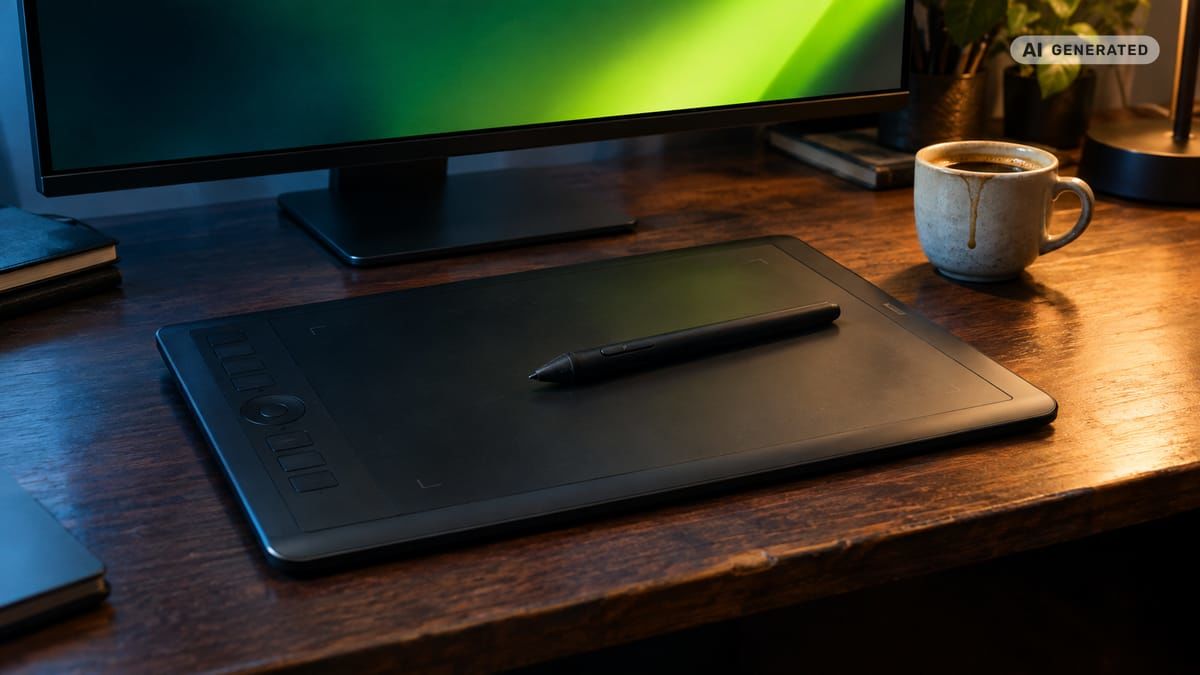
Best for social and non-designer teams: Canva
Canva is a practical choice when the final deliverable is a designed post rather than a retouched master photograph. Its AI capabilities include Magic Edit, Magic Grab, background generation and image upscaling, according to DataCamp.
The platform's main benefit is that image editing, brand templates and output formats sit in the same interface. A marketer can adapt one approved direction into multiple channel assets without opening a specialist retouching environment.
Canva is most appropriate for:
- Social media posts
- Presentation visuals
- Simple paid advertisements
- Event graphics
- Template-controlled local marketing
- Rapid resizing and layout adaptation
Teams should keep text as editable design content. Asking an image model to render campaign copy or legal wording creates unnecessary spelling and compliance risks.
Which tools are best for enhancement and generative editing?
Enhancement and generative editing solve different problems. Enhancement attempts to improve an existing image, while generative editing creates or reconstructs pixels based on a prompt and surrounding context.
Luminar Neo for accessible enhancement
Luminar Neo is frequently recommended for users who need capable photo enhancement without the full complexity of Photoshop. Its appeal is a guided editing experience for tasks such as lighting adjustments, portrait improvements and scene enhancement.
It suits small creative teams that start with real photographs and want faster corrections. Brand managers should still preserve a neutral original because aggressive enhancement can alter skin texture, material color or environmental mood.
Topaz Photo AI for image recovery
Topaz Photo AI focuses on quality-related tasks such as sharpening, denoising and upscaling. SaaSCRMReview gave it an 8.8 rating in its 2026 comparison.
A specialist enhancement tool is useful when an approved photo is compositionally correct but technically limited. Possible applications include enlarging an archive asset, improving a cropped product detail or reducing noise in event photography.
Upscaling cannot restore factual detail that the source never captured. Reviewers should compare labels, facial features and surface textures at 100 percent magnification before approval.
Photoshop for generative fill and controlled retouching
Generative fill is most useful when it remains part of an editable workflow. A designer can extend a background for a 16:9 banner, remove a distracting object or create additional negative space while protecting the main subject.
The critical step is masking. If the protected area includes a product, package or person, the mask should exclude that subject from regeneration. A visually seamless output is not enough if it silently modifies the source.
AvocAIdo for concept generation before editing
AvocAIdo serves a different stage of the workflow. It generates 4 interpretations of one brief through Grok Imagine, Seedream 5 Lite, NanoBanana 2 and GPT Image 2, letting the user select a direction before detailed editing. See the full list of AI models for image generation for technical details on each model.
Its Brand Style Intelligence analyzes elements such as color palette, lighting, mood and style from uploaded references. This makes it relevant for generating campaign concepts that begin with an established visual direction rather than generic text prompts.
A full 4-model generation costs 1,010 credits. AvocAIdo pricing plans detail the complete credit structure. The output can then move into a photo editor for typography, product verification and final delivery preparation.
How should brand consistency be tested?
A tool should not be declared brand-consistent based on one successful image. Brand managers need a repeatable test that reveals where colors, logos, typography and product details begin to drift.
Use this 7-step protocol before adopting a platform:
- Select a controlled source set. Choose an approved product photo, a portrait and a campaign scene with known color and layout requirements.
- Define protected elements. List the logo, package text, product shape, brand colors and any feature that must not change.
- Run the same task repeatedly. Repeat one background replacement or scene extension with identical instructions.
- Test multiple formats. Compare square, portrait and landscape versions, including 1:1, 9:16 and 16:9 outputs where supported.
- Measure exact colors. Sample protected color areas and compare them with the approved brand values.
- Inspect at full size. Review edges, packaging characters, reflections, hands, faces and small mechanical details at 100 percent.
- Record approval outcomes. Track accepted, repairable and rejected versions instead of judging only the strongest result.
Different tools encode consistency differently. Photoroom uses explicit rules such as padding, background and logo settings. Canva relies heavily on brand kits and templates. Photoshop offers the greatest manual control but requires governance around files and operators.
AvocAIdo analyzes reference images and is designed to apply the extracted visual style across different generated subjects. Because style fidelity can vary by model and subject complexity, the 4 outputs should be treated as options for creative selection rather than identical reproductions. Our guide to AI-ready brand style guide templates explains how to prepare references that maximize consistency.
Typography requires a stricter rule. Do not approve generated lettering for a logo, package declaration, product instruction, price or disclaimer. Use editable type from an authorized brand font after the image generation or retouching stage.
How do licensing and commercial-use rights differ?
Commercial-use permission, copyright status and indemnification are 3 separate questions. A platform may permit business use without promising exclusivity or defending the customer against an intellectual-property claim.
Adobe Firefly
A 2026 rights comparison by Sozee reports that Adobe Firefly is trained on licensed Adobe Stock, openly licensed and public-domain content. The same analysis says commercial use is available through qualifying paid plans and that Adobe offers IP indemnification for specified paid workflows, subject to exclusions. (zdroj: Sozee)
Those exclusions matter. Beta features, free-tier use, prompts naming real people or brands, and some trademark-related claims may fall outside the protection described by the comparison. Current Adobe terms should be checked for the exact account and feature used.
Canva
LicenseOrg reports that both Canva Free and Pro users can use eligible content commercially, but standard terms do not provide indemnification. Its 2026 analysis states that Canva Shield adds AI indemnification for qualifying Enterprise organizations with 100 or more seats. (zdroj: LicenseOrg)
Commercial use also does not necessarily grant exclusive rights in an AI-generated image. A brand should therefore avoid treating a generated asset as a protectable logo or uniquely ownable identity element without legal review.
Photoroom
Photoroom markets its platform for commercial product imagery, but rights analysis should extend beyond the intended use case. Teams should review the current terms for generated backgrounds, source uploads, model behavior and any third-party elements before a major campaign.
AvocAIdo
AvocAIdo states that all subscription plans include a commercial license on outputs. The applicable scope and obligations should be read alongside the platform's current Terms and Conditions.
A practical rights review
For every tool, document these 5 items:
- Account and subscription tier
- AI model or feature used
- Source images and their licenses
- Prompts containing brands, people or protected works
- Final human modifications and approval record
Content credentials and provenance metadata can add transparency, but they do not replace a license review. Keep the original file, generated versions and final edited asset connected through a stable project identifier.
How should AI editors connect to a DAM?
AI editing software creates value during production, while a digital asset management system controls what happens after production. Combining the 2 helps prevent drafts, outdated logos and unapproved images from reaching public channels.
Brandfolder describes a bidirectional Photoshop integration powered by CI Hub. Its purpose is to let teams access and synchronize assets while reducing context switching. Adobe Experience Manager is also commonly positioned as a link between brand portals, Creative Cloud production, Firefly and asset workflows.
A sound system separates at least 4 asset states:
- Original: The untouched source photo or approved reference.
- Working: AI-generated or AI-edited versions under review.
- Approved: The selected master with documented authorization.
- Distributed: Channel-specific exports derived from the approved master.
Bynder, Brandfolder, Adobe Experience Manager and Cloudinary may occupy different positions in a company's stack. The selection should depend on integrations, metadata, permissions, transformation needs and existing infrastructure rather than the presence of an AI label.
Use HTTPS access, role-based permissions and controlled service accounts wherever available. Files should carry the campaign, market, rights status, expiration date and approval owner as metadata.
The DAM must remain the source of truth. An image visible in Photoshop, Canva or Photoroom is not automatically approved merely because an author can access it. Teams evaluating enterprise-grade AI editing features should pay particular attention to approval workflow and permission controls.
What is the safest AI-assisted photo workflow?
A professional workflow gives artificial intelligence a defined production role while keeping factual and brand decisions with people. The following process works across campaign, social and product teams. For a broader look at the best AI photo editing software for professional workflows, see our companion guide.
1. Write a structured visual brief
State the subject, intended channel, aspect ratio, brand mood, required product details and forbidden changes. Distinguish visual inspiration from elements that must be copied exactly.
2. Choose generation or editing
Use generation when creating a new campaign concept or scene. Use editing when the source photo and product must remain authoritative.
AvocAIdo supports 5 listed aspect ratios: 1:1, 16:9, 9:16, 3:4 and 3:2. Select the final channel ratio early to avoid unnecessary extensions later.
3. Protect factual elements
Lock or mask products, labels, logos, people and regulated wording. Backgrounds and decorative elements can receive broader generative treatment than factual content.
4. Generate controlled options
Create a small, comparable set rather than changing the prompt after every output. AvocAIdo sends one generation request across 4 models, which provides 4 interpretations for selection.
5. Perform creative review
The art director or designated reviewer selects the strongest composition. Rejected versions should not enter the approved asset library.
6. Retouch the selected image
Correct edges, color, perspective, product fidelity and lighting. Add logos and typography as controlled design elements instead of relying on generated text.
7. Conduct factual quality control
Compare the asset with the source product and approved copy. Look specifically for hallucinated product features, altered package quantities, misspelled text and impossible reflections.
8. Complete brand and rights approval
A second reviewer checks color, typography, visual guidelines, licenses, likeness permissions and claims. High-risk campaign assets may require legal or regulatory review.
9. Publish through the controlled library
Upload only the approved master and derived formats. Preserve the original, prompt information, working versions and approval history.
How do you calculate cost per approved asset?
Subscription price alone is a poor measure of value. The better metric is the cost of an image that has passed creative, factual and rights review.
Use this formula:
Cost per approved asset = total tool cost + generation cost + editing labor + review labor + rework cost, divided by approved assets
Tool cost includes subscriptions and required add-ons. Generation cost includes credits or metered AI actions. Labor includes both production and approval time, while rework covers corrections and replacement generations.
AvocAIdo prices one complete 4-model generation at 1,010 credits. Style analysis costs 3,000 credits, 4K upscaling costs 600 credits and resizing costs 250 credits per format. These values can be assigned directly to the relevant project rather than hidden inside a broad software budget.
For labor, record actual time instead of inventing a standard rate. A fast platform may be expensive per generation but economical if it produces fewer rejected assets. Conversely, an inexpensive tool can create a high effective cost when every image needs manual packaging repair.
Track 4 operational metrics:
- Generation attempts per approval
- Minutes of manual correction per asset
- Review minutes per asset
- Percentage of outputs requiring rework
The resulting cost should be compared by use case. A catalog image, a social post and a global campaign key visual have different approval requirements and should not share one blended benchmark.
What mistakes should brand managers avoid?
Treating every AI platform as interchangeable
Photo correction, generative concepting and template design are different tasks. Assigning them to one application often creates unnecessary compromises.
Approving an image at thumbnail size
Small previews hide distorted labels, broken fingers, doubled controls and inconsistent surfaces. Product and portrait assets should receive a 100 percent inspection.
Generating logos or required copy
AI-generated text may look convincing without being accurate. Logos, disclaimers and package wording should remain controlled, editable assets.
Confusing commercial permission with indemnification
A commercial license may permit use without providing legal defense. Review all 3 questions: permitted use, ownership status and indemnification.
Ignoring repeated-edit consistency
One attractive output does not prove a tool can maintain the same palette, padding and product details across 20 assets. Test repetition before procurement.
Sending drafts directly to channels
Editors should not become unofficial publishing libraries. Require at least 2 approvals and distribute assets from a controlled DAM or approved repository.
Measuring only generation speed
A generation completed in seconds may still require extensive repair. Cost per approved asset is more meaningful than time to first output.
AvocAIdo tip
Use AvocAIdo at the concept and generation stage, then move the selected image into a detailed editor for final typography and product checks. The platform analyzes reference images for color, lighting, composition and mood, then generates through 4 AI models in parallel. Because all 4 models run on every generation, the team can compare different interpretations of one direction before committing to retouching. Review the current plans and credit costs, including the 1,010-credit cost for one complete 4-model generation.
Frequently asked questions
What is the best AI photo editor for professional campaign work?
Adobe Photoshop is the strongest all-around option for detailed campaign work because AI generation sits alongside layers, masks and manual retouching. One 2026 comparison rated it 9.3 out of 10. Brand teams should pair it with a controlled approval process rather than publishing directly from the working file.
Which tool is best for e-commerce product images?
Photoroom is well suited to e-commerce because it combines background removal, AI shadows, product staging and reusable brand rules. Test at least 3 output formats before scaling the workflow, and verify that packaging, texture and included product features remain unchanged.
Can AI-edited images be used commercially?
Commercial use depends on the platform, plan, source material and feature used. Review 3 separate issues before publication: permission to use the output, ownership or exclusivity, and indemnification. Retain the applicable terms and source-image licenses with the final asset record.
How can a brand keep AI images visually consistent?
Use approved reference images, fixed color values, reusable templates and a repeatable review protocol. Run the same instruction at least 3 times and compare logos, product geometry, lighting and palette. AvocAIdo also offers reference-based Brand Style Intelligence for generated imagery.
Is an AI image generator the same as an AI photo editor?
No. A generator creates a new image from prompts or references, while an editor modifies an existing photo. A practical stack may use 1 generative platform for concepting and a layer-based editor for correction, typography and delivery.
How many approval stages should an AI-edited image have?
Use at least 2 stages: creative and factual quality control, followed by brand, rights or product approval. High-risk material may need a third legal or regulatory review. Never let the person who generated the image serve as the only approver.
How should teams compare AI editing costs?
Calculate cost per approved asset rather than subscription price alone. Include 5 components: tool fees, generation credits, editing labor, review labor and rework. Track the calculation separately for catalog images, social content and campaign master assets.
Which tool helps generate several creative directions?
A multi-model workflow is useful when the objective is creative exploration rather than one predetermined edit. AvocAIdo produces 4 outputs through Grok Imagine, Seedream 5 Lite, NanoBanana 2 and GPT Image 2 for one generation request. The team can then select one direction for detailed editing.
Next step
Define one real campaign brief and test it across a controlled set of brand references. You can create an AvocAIdo account and use the 2,000 free credits offered without a credit card to evaluate the generation stage before adding the selected result to your editing workflow.
Zdroje
Put your brand style into practice.
Use a style reference to guide the look of your product images.
Free credits to start · No credit card