AI Photo Editing App: The Best Mobile Apps for On-the-Go Brand Content
Discover the best AI photo editing apps for on-the-go brand content. Compare Snapseed, Canva, Photoroom, Adobe Express & AvocAIdo for style-locked visuals at scale.
Make your next image feel like your brand.
Use a style reference to guide the look of your product images.
Free credits to start · No credit card
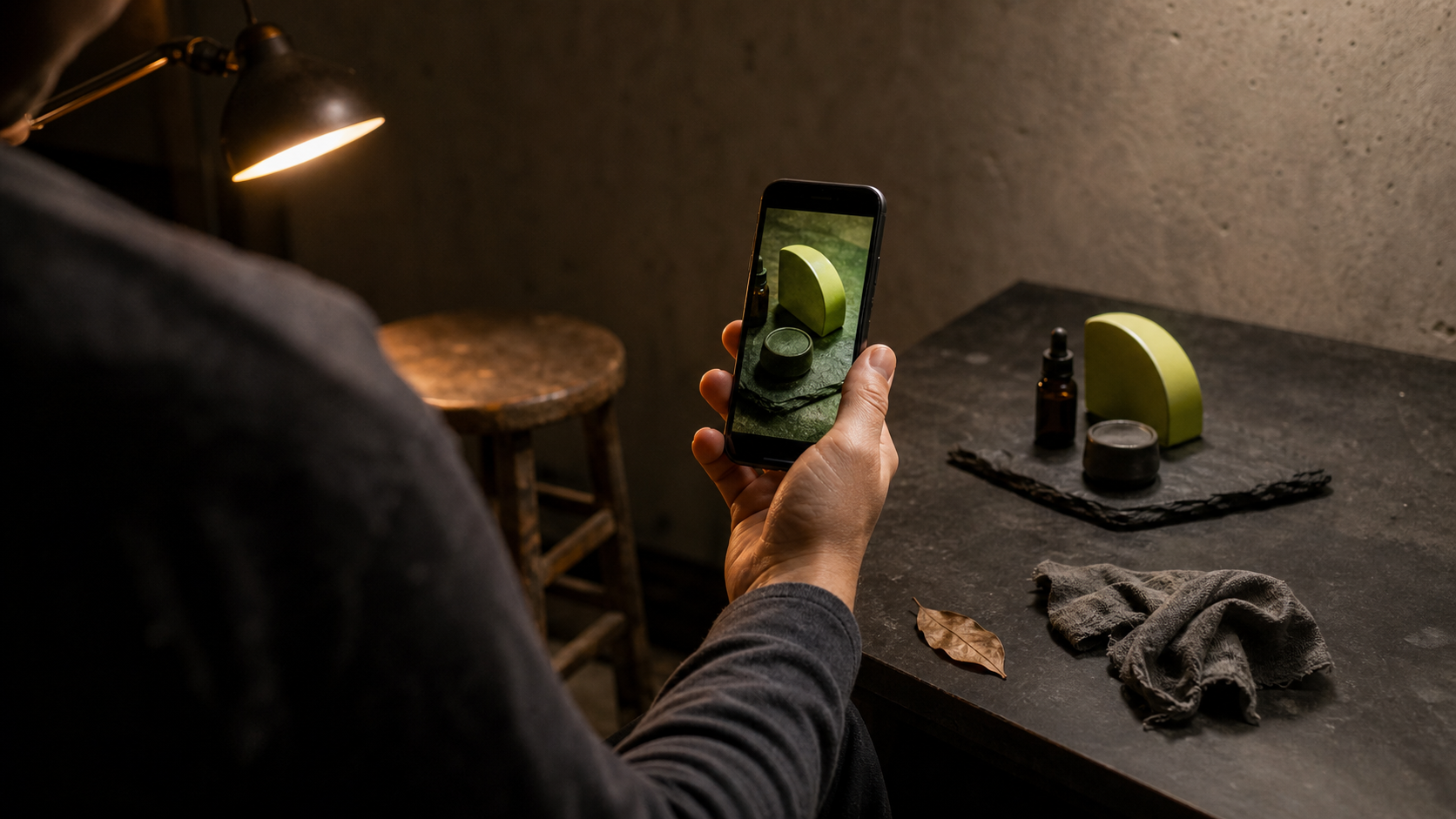
An AI photo editing app uses machine learning to automate tasks like color correction, object removal, upscaling, and style matching — reducing per-image editing time from minutes to seconds. For social media managers and content creators working from mobile devices, AI-powered brand content tools like AvocAIdo and other purpose-built apps mean producing consistent, on-brand visuals without a full design team. In this guide, you will learn which AI photo editing apps deliver brand-level results on the go, what features matter most, and how to build a mobile editing stack that scales.
TL;DR
- AI photo editing apps automate repetitive tasks so lean teams can produce brand-consistent content faster.
- The best apps for brand content combine style control, batch processing, and commercial licensing.
- Mobile-first options like Snapseed, Canva, Photoroom, and Adobe Photoshop Express handle quick on-device edits.
- Brand-level style locking and multi-model generation require platforms like AvocAIdo that learn your visual identity.
- Product listings with AI-enhanced images achieve 27–34% higher conversion rates than standard photos.
- The AI image editor market is projected to reach $8.9 billion by 2034 at a 15.7% CAGR.
- A complete mobile brand content stack typically combines a quick-edit app with a style-locked generation platform.
Checklist
- Verify commercial licensing on all AI-generated or AI-edited outputs before publishing
- Upload 5–10 reference images that exemplify your brand's ideal visual style
- Test at least 2–3 AI photo editing apps before committing to a paid plan
- Confirm batch-processing capabilities if you produce more than 50 visual assets per month
- Check that the app supports your required aspect ratios (1:1, 16:9, 9:16, 3:4)
- Evaluate style-consistency features — filters alone are not brand-style locking
- Ensure exported images meet platform-specific resolution requirements (e.g., 1080×1350 for Instagram)
- Set up a reference photo library organized by campaign or product line
- Review pricing transparency — credit-based models should clearly state cost per image
- Test collaboration or export workflows with your team before scaling production
Made with AvocAIdo
Your product. Your style. Four possibilities.
Start with your product and a style reference. Explore four AI interpretations of the look you want.


Saved examples · 4 AI models




Free credits to start · No credit card
What Is an AI Photo Editing App?
An AI photo editing app is a mobile or web-based tool that applies machine learning algorithms to analyze image content and automate adjustments. These adjustments range from basic enhancements (exposure, white balance) to advanced operations like generative fill, background replacement, and style transfer. The artificial intelligence and its real-world applications behind these tools have evolved rapidly in recent years.
Modern AI photo editors go far beyond simple filters. They can identify faces, objects, backgrounds, sky, text, and edges using computer vision trained on millions of labeled images. The result is intelligent, context-aware editing that adapts to what is actually in your photo rather than applying uniform adjustments.
For brand teams, the critical distinction is between consumer-grade AI (selfie filters, artistic effects) and brand-grade AI (style locking, batch consistency, commercial licensing). The apps reviewed here focus on the latter category.
Why Do Brand Teams Need AI Photo Editing Apps?
Speed at scale
AI photo editing reduces per-image editing time from minutes to seconds, making high-volume visual production practical for lean teams. A social media manager publishing 20–30 posts per week cannot afford 15 minutes of manual retouching per image.
Consistency across channels
Brand recognition depends on visual consistency. Advanced AI editors learn from reference images to replicate color palette, contrast curves, lighting preferences, and mood across new images — ensuring your Instagram feed, product pages, and ad creatives share a unified look.
Measurable business impact
Product listings with AI-enhanced images achieve conversion rates 27–34% higher than those with standard photos. Enterprise users already account for an estimated 42.3% of AI image editor market revenue, signaling that this is no longer an experimental category but a mainstream production tool.
Lower skill barrier
The workflow bottleneck has shifted from "Can you operate Photoshop?" to "Do you know what visual story you want to tell?" Understanding how AI simulates human learning and problem solving helps explain why these tools can now handle the technical execution while humans make art-direction decisions.
How to Choose the Best AI Photo Editing App for Brand Content
Not every AI photo editing app serves brand teams equally. Here is a step-by-step evaluation process:
- Define your primary use case. Are you editing existing photos (retouching, background removal) or generating new brand imagery from scratch? Some apps excel at one; few handle both.
- Assess style-control depth. Look for apps that learn from reference photos rather than offering only preset filters. True brand-style locking requires the AI to extract color palette, lighting, composition, and mood from your examples.
- Check commercial licensing. Verify that all AI-generated or AI-edited outputs include a commercial license. This is non-negotiable for paid ads, product listings, and client deliverables.
- Evaluate batch and team workflows. If you produce more than 50 visual assets per month, batch processing and shared style libraries become essential. Single-image editors create bottlenecks at scale.
- Test mobile usability. An app that requires desktop-level processing for every edit defeats the purpose of on-the-go content creation. Prioritize apps with responsive mobile interfaces or dedicated mobile apps.
- Compare pricing transparency. Credit-based models should clearly communicate cost per image. Hidden costs for upscaling, exporting, or removing watermarks erode value quickly.
- Review export options. Ensure the app exports at resolutions suitable for your channels (minimum 1080px for social, 2000px+ for ecommerce) and in standard formats (JPG, PNG, WebP).
The Best AI Photo Editing Apps for On-the-Go Brand Content in 2026
Snapseed — Best for Quick Manual + AI Touch-Ups
Snapseed remains a go-to for content creators who need fast, precise edits on mobile. Its selective editing tools, healing brush, and HDR scape are enhanced by AI-powered suggestions. Snapseed is often better than Lightroom Mobile when creators need quick photo editing to produce good content.
Strengths: Free, no watermarks, granular control, offline editing.
Limitations: No brand-style locking, no batch processing, no generative AI features.
Best for: Quick retouching and color grading between shoots.
Canva — Best All-in-One for Non-Designers
Canva's AI photo editor enables quick add, erase, and AI edits to enhance images with simple workflows. Its Magic Eraser, Background Remover, and AI-powered design suggestions make it accessible to social media managers without design training.
Strengths: Template library, team collaboration, brand kit feature, cross-platform.
Limitations: AI editing is surface-level; limited style-learning capabilities; generative outputs can feel generic.
Best for: Social media graphics, presentations, and quick content packaging.
Photoroom — Best for Ecommerce Product Photography
Photoroom's AI tools erase unwanted objects, clean up images, and adjust lighting, shadows, and sharpness with mobile-friendly workflows. It is purpose-built for product photography, offering instant background removal and studio-quality mockups from a smartphone.
Strengths: Batch background removal, product-focused templates, mobile-native.
Limitations: Less suited for lifestyle or editorial content; limited style customization beyond backgrounds.
Best for: Ecommerce product listings and marketplace compliance.
Adobe Photoshop Express — Best for Quick AI-Powered Fixes
Adobe Photoshop Express provides AI-powered auto-enhance, object removal, and one-tap adjustments optimized for mobile. It integrates with the broader Adobe ecosystem for teams already using Lightroom or Creative Cloud.
Strengths: Trusted brand, AI auto-corrections, RAW support, Adobe ecosystem integration.
Limitations: Advanced features require a Creative Cloud subscription; style locking requires Lightroom presets, not AI-learned.
Best for: Photographers who need quick fixes before importing to desktop workflows.
Fotor — Best Budget Option with AI Enhancement
Fotor combines AI-powered enhancement, batch editing, and basic design tools at a competitive price point. Its AI tools include one-tap enhancement, background removal, and AI-generated effects.
Strengths: Affordable, web + mobile, batch processing available.
Limitations: Style consistency tools are basic; brand-style learning is not available.
Best for: Small businesses and solo creators on a tight budget.
Comparison Table: AI Photo Editing Apps for Brand Content
| App | Style Locking | Batch Processing | Commercial License | Mobile-Native | Starting Price |
|---|---|---|---|---|---|
| Snapseed | ❌ | ❌ | ✅ (your photos) | ✅ | Free |
| Canva | Basic (Brand Kit) | ✅ | ✅ (Pro plan) | ✅ | Free / $13/mo |
| Photoroom | ❌ | ✅ | ✅ (Pro plan) | ✅ | Free / $9.99/mo |
| Adobe PS Express | ❌ (presets only) | Limited | ✅ | ✅ | Free / CC sub |
| Fotor | ❌ | ✅ | ✅ (Pro plan) | ✅ | Free / $3.33/mo |
| AvocAIdo | ✅ (AI-learned) | ✅ | ✅ (all plans) | Web-based | €19/mo |
How Does Brand Style Locking Differ from Filters?
This distinction matters for any social media manager seeking true brand consistency.
Filters apply a uniform color or tone adjustment to every image identically. They do not adapt to image content, lighting conditions, or subject matter. A warm filter on a product shot looks different from the same filter on a portrait — breaking visual consistency.
Brand style locking uses AI to analyze reference images and extract patterns — color palette, contrast curves, lighting preferences, mood — then replicates them contextually across new images regardless of subject. The AI adapts its application based on what is in the frame.
Some style-learning tools require around 4,000 edited images to properly learn a photographer's style. Others, like AvocAIdo's Brand Style Intelligence, can work from as few as 1–8 reference photos to establish a consistent visual language. Learn more about how AI photo editing works and why brands need it.
The practical difference: filters give you a "look." Style locking gives you a brand system.
When Should You Combine Mobile Apps with a Brand-Level Platform?
Most professional content workflows in 2026 are not single-app operations. Here is how the pieces fit together:
Mobile apps handle:
- Quick retouching between shoots (Snapseed, Photoshop Express)
- Background removal for product shots (Photoroom)
- Social media graphic assembly (Canva)
- On-the-spot color corrections before client review
Brand-level platforms handle:
- Style-locked image generation for campaigns
- Multi-model parallel generation for creative options
- Batch consistency across hundreds of assets
- Art-direction-level control over lighting, mood, and composition
The signal that you need both layers: you produce more than 50 visual assets per month across campaigns, social media, or product listings, and you lack a full in-house design team to enforce brand guidelines manually. For a broader look at the landscape, see Zapier's roundup of the best AI photo editors in 2026.
AvocAIdo Tip
For brand teams that need more than quick mobile edits — consistent, style-locked imagery at scale — AvocAIdo generates across 4 top AI models (Grok Imagine, Seedream 5 Lite, NanoBanana 2, GPT Image 2) in parallel, letting you pick the best result for every brief. Upload 1–8 reference photos, and ArtDirector AI learns your brand's lighting, composition, color, and mood — then applies that style consistently across any subject. No prompt engineering required. Start with 2,000 free credits (no credit card) to test your brand's visual style in minutes.
Try AvocAIdo free | See pricing
You can also find more AI content creation tips on our blog.
FAQ
What is the best AI photo editing app for brand content in 2026?
The best choice depends on your workflow. For quick mobile retouching, Snapseed and Adobe Photoshop Express lead. For ecommerce product shots, Photoroom excels. For brand-style-locked generation and editing at scale, AvocAIdo offers multi-model parallel workflows with AI-learned style consistency. Most brand teams combine 2–3 tools.
Are AI photo editing apps safe for commercial use?
Most professional AI photo editing apps include commercial licensing on Pro or paid plans. Always verify licensing terms before using AI-edited or AI-generated images in paid advertising or product listings. Free tiers often restrict commercial use or add watermarks.
Can AI photo editing apps maintain brand consistency across different content types?
Basic apps apply filters uniformly, which breaks consistency across varied subjects. Advanced platforms use style-learning AI that analyzes reference images and adapts to each new photo contextually. This produces consistent brand visuals whether you are editing a portrait, product shot, or lifestyle scene.
How many reference images do AI style-learning tools need?
Requirements vary significantly. Some tools like Aftershoot require around 4,000 edited images to learn a photographer's style. Others, such as AvocAIdo, can establish a brand style from as few as 1–8 reference photos, making them accessible to teams without large image archives.
Do AI photo editing apps work offline on mobile?
Some do. Snapseed works fully offline. Most AI-powered features (generative fill, background replacement, style transfer) require an internet connection because processing happens on cloud servers. The artificial intelligence technologies powering modern apps typically rely on cloud-based infrastructure for heavy computation. Plan accordingly if you edit in locations with limited connectivity.
What is the difference between AI photo editing and AI image generation?
AI photo editing modifies existing photographs (retouching, enhancement, object removal). AI image generation creates entirely new images from text prompts or style references. Some platforms, like AvocAIdo, combine both — generating new images in a locked brand style and offering post-generation editing tools like upscaling and resizing.
How much do AI photo editing apps cost for a small team?
Costs range from free (Snapseed, basic Canva) to approximately €19–99/month for professional platforms with brand-style features. Credit-based models typically cost €0.50–1.00 per image depending on complexity. Budget €20–50/month as a starting point for a small team producing 100+ images monthly.
Will AI photo editing apps replace graphic designers?
No. AI photo editing augments rather than replaces creative professionals. AI handles repetitive technical tasks (background removal, color matching, batch resizing) while humans make art-direction decisions about brand story, composition choices, and creative strategy. The skill requirement shifts from software operation to visual storytelling.
Put your brand style into practice.
Use a style reference to guide the look of your product images.
Free credits to start · No credit card