AI Photo Editor Online Free with No Restrictions: What's Really Available in 2026?
Discover what "AI photo editor online free no restrictions" really means in 2026. Compare top free tools, hidden limits, and find the best fit for your workflow.
Turn this inspiration into your own images.
Bring a brief or a reference image. Explore the possibilities with four AI models.
Free credits to start · No credit card
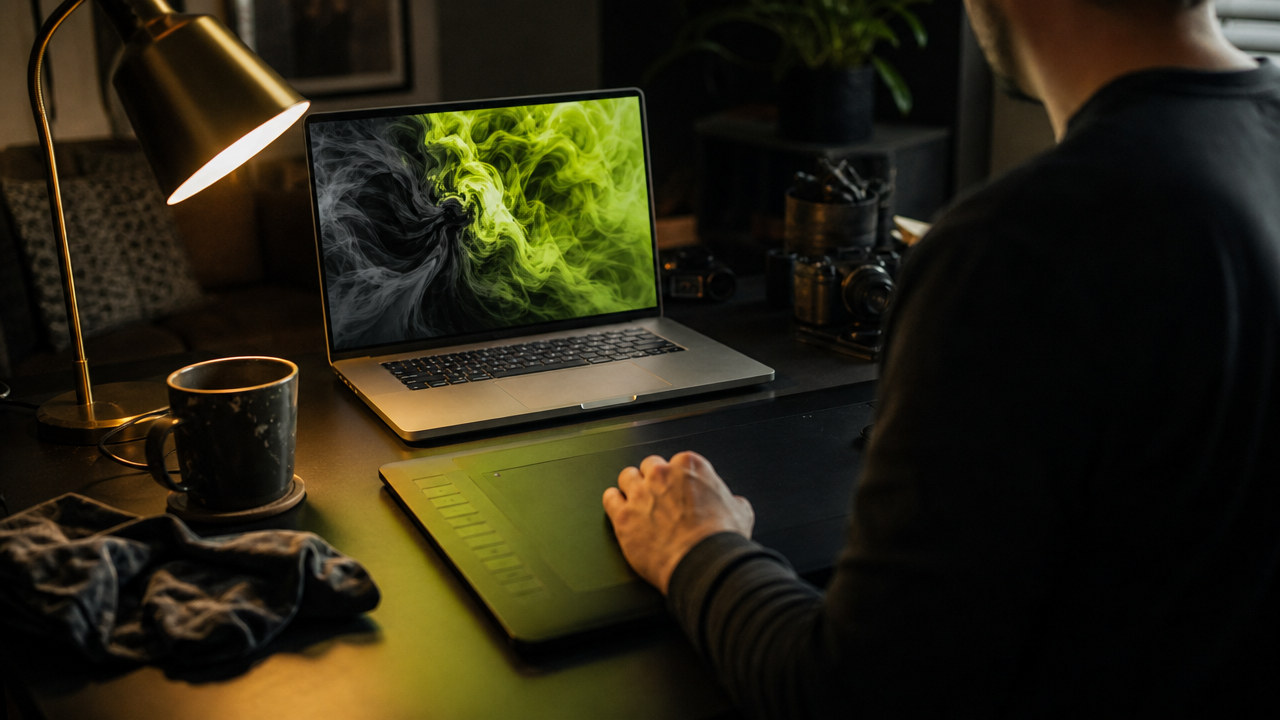
An AI photo editor online free with no restrictions promises unlimited edits, no signups, no watermarks, and no content filters — but in 2026, that combination rarely exists in a single tool. Most platforms marketed as "free and unlimited" embed hidden limits in credits, resolution, export quality, or content moderation. This article examines what "no restrictions" actually means, reviews the leading free AI photo editors, and helps you choose a tool that matches your real workflow needs.
TL;DR
- Truly free, unlimited, restriction-free AI photo editors are effectively nonexistent in mainstream commercial tools.
- "No restrictions" typically refers to content moderation policies (fewer filters), not unlimited free usage.
- Most free AI photo editors cap resolution, daily generations, or export quality behind paid tiers.
- Tools like Pixlr, IObit, and VisualGPT offer genuine free tiers but with practical constraints.
- The AI image editor market reached $2.1 billion in 2024 and is growing at 15.7% CAGR.
- For brand-safe, commercial-use work, transparent credit-based platforms often deliver more value than "unlimited free" promises.
- Evaluating tools by licensing, resolution, batch capability, and style control matters more than "free" labels.
Checklist: Evaluating Free AI Photo Editors
- ✅ Verify whether "free" means unlimited or a capped trial/preview
- ✅ Check if exports include watermarks or resolution downgrades
- ✅ Confirm whether a signup or credit card is required
- ✅ Review content moderation policies — what edits are blocked?
- ✅ Look for commercial licensing on outputs (critical for brand use)
- ✅ Test batch processing limits (single image vs. bulk)
- ✅ Compare available AI models and their quality differences
- ✅ Assess whether style consistency tools exist for brand work
- ✅ Check credit rollover and expiration policies on freemium plans
- ✅ Read the terms of service — "no restrictions" in marketing may not match the legal fine print
What Does "AI Photo Editor Online Free No Restrictions" Actually Mean?
The phrase "ai photo editor online free no restrictions" combines three distinct promises: browser-based access (online), zero cost (free), and no limitations on usage or content (no restrictions). In practice, these promises conflict with how AI tools operate.
Most AI photo editors require computational resources that cost money to run. According to industry data, the AI image editor market reached approximately $2.1 billion in 2024 and is projected to hit $8.9 billion by 2034 at a 15.7% CAGR. That growth is funded by subscriptions and credits, not by giving away unlimited processing for free.
ZenCreator, one of the few tools explicitly marketing "no restrictions," defines the term as editing "without content filters or blocked actions" — but its plans start at $19.99/month. So "no restrictions" more often describes moderation policies than pricing.
Made with AvocAIdo
Your product. Your style. Four possibilities.
Turn a product photo and a style reference into studio-style images. Compare AI models in one place.


Saved examples · 4 AI models




Free credits to start · No credit card
How Do Free AI Photo Editors Limit You in Practice?
Free tiers typically impose one or more of the following constraints:
| Restriction Type | How It Appears | Example |
|---|---|---|
| Credit/usage caps | Daily or monthly generation limits | Remaker uses 2–8 credits per edit depending on model |
| Resolution limits | Free exports capped at lower resolution | Weezard offers free preview but gates full-resolution exports |
| Watermarks | Logo overlaid on output images | Common in freemium editors |
| Feature locks | Advanced tools (batch, upscale) behind paywall | Weezard's 8K export and 100+ batch processing require paid access |
| Content moderation | Certain prompts or edits blocked | Most mainstream tools enforce safety filters |
| Commercial licensing | Free outputs may not be licensed for commercial use | Varies by platform; often unclear in free tiers |
Weezard, for example, lets users "start with a free preview and test common photo edits before exporting final results" — but full-resolution exports up to 8K and batch processing of 100+ photos require their paid tier.
Which Free AI Photo Editors Are Worth Trying in 2026?
Here is an honest breakdown of tools that offer meaningful free access:
Pixlr
Pixlr's free AI photo editor provides a browser-based AI photo editor, AI image generator, and design tools marketed as "100% free, right in your browser." It covers background removal, enhancement, and basic AI generation. The free tier is functional for casual edits but limits advanced features and high-volume use.
IObit AI Photo Editor
IObit markets itself as "100% free with zero signup required," offering one-click transforms, enhancements, and retouching. It is browser-based and genuinely requires no account creation for basic edits.
VisualGPT
VisualGPT offers a free online AI image editor with no sign-up, supporting background removal, style changes, and image-to-image editing. The workflow is straightforward: upload, describe your edit, download.
FreeForAI
FreeForAI's no-limits image generator and editor claims to be the "world's first completely free, unlimited AI image generator" with "no hidden fees, no credit card required, and no usage limits." However, it is primarily a generator (powered by FLUX.1-Dev), not a full-featured photo editor with tools like object removal or batch processing.
Raphael AI
Raphael AI's unlimited image generator is another tool positioning itself as a truly unlimited free option powered by leading models like FLUX. Like FreeForAI, it focuses on image generation rather than comprehensive photo editing, but it is worth testing if your primary need is creating new visuals rather than editing existing ones.
OpenMedia Tools
For users specifically concerned about content filters, OpenMedia's uncensored AI image editor provides a transparent, no-login editing experience with fewer content restrictions. It serves as a useful reference point for understanding what "no restrictions" means in terms of content policy versus usage limits.
Remaker AI
Remaker provides a free AI photo editor running multiple models (Seedream 4, Nano Banana, Flux Kontext Dev) with per-edit credit costs ranging from 2 to 8 credits. The editor is accessible but consumption-based, meaning "free" lasts only until credits run out.
Is "Free Unlimited" AI Photo Editing Realistic for Professional Work?
For content creators producing brand imagery, social media assets, or e-commerce visuals, the answer is typically no. Here is why:
1. Commercial licensing gaps. Many free tools either do not grant commercial rights or leave licensing ambiguous in their terms. Using unverified "free" outputs in paid campaigns creates legal risk.
2. Consistency is impossible without style tools. Free editors treat each image as an isolated task. Product listings with AI-enhanced images achieve conversion rates 27% to 34% higher than those with standard photos — but that uplift depends on consistent, on-brand quality, not random one-off edits.
3. Volume demands exceed free caps. Enterprise users account for an estimated 42.3% of AI image editor market revenue, signaling that serious visual production requires paid infrastructure.
4. Time cost of workarounds. Juggling multiple free tools to avoid individual limits often costs more time than a transparent subscription saves in money.
How to Choose an AI Photo Editor That Actually Fits Your Needs
Rather than chasing "free no restrictions," evaluate tools against your actual workflow requirements:
- Define your volume. How many images per week do you need edited or generated? Match this to credit allowances or generation limits.
- Check commercial licensing. Confirm that outputs can be used in paid campaigns, product listings, or client deliverables.
- Test style consistency. Upload multiple reference images and see if the tool can maintain a cohesive look across outputs.
- Evaluate resolution and format support. Ensure exports meet your channel requirements (e.g., 4K for print, specific aspect ratios for social).
- Assess the editing suite. Do you need background removal, object erasing, upscaling, or prompt-based transformations?
- Review content policies. Understand what the tool will and will not generate — especially important for fashion, beauty, or lifestyle content.
- Calculate true cost. A €19/month tool with clear terms may cost less than the time spent working around free-tier limitations.
What Makes a Transparent Alternative Better Than "Free No Restrictions"?
The most reliable AI photo editing platforms in 2026 are transparent about what you get: clear credit costs, explicit commercial licensing, and defined capabilities. This honesty protects your workflow from sudden policy changes or surprise paywalls mid-project.
AI photo editing uses machine learning algorithms to automate adjustments like color correction, object removal, upscaling, and style matching — and it reduces per-image editing time from minutes to seconds. The value is not in "free" but in speed, consistency, and commercial safety.
Browser-based AI editors are delivering approximately 80% of Photoshop's practical functionality in 20% of the time, making them viable for teams that need distributed, fast visual production without desktop software bottlenecks. For teams exploring this approach, AvocAIdo's AI photo editing platform offers a transparent, credit-based model designed for professional workflows.
AvocAIdo Tip
If your goal is brand-consistent imagery with clear commercial licensing rather than unrestricted but unpredictable free edits, AvocAIdo offers a different approach. The platform runs 4 top AI models — Grok Imagine, Seedream 5 Lite, NanoBanana 2, and GPT Image 2 — in parallel on every generation, so you compare outputs and pick the best result. Brand Style Intelligence lets you upload reference photos and lock your visual identity across all outputs. You can start with 2,000 free credits — no credit card required — and explore whether transparent, credit-based generation fits your workflow better than chasing "unlimited free" promises. Learn more about pricing →
FAQ
Is there a truly free AI photo editor online with no restrictions at all?
No mainstream tool offers unlimited free usage with zero content moderation and full commercial licensing simultaneously. FreeForAI claims unlimited free generation with no registration, but it is primarily an image generator, not a full editor. Most "no restrictions" tools either charge for advanced features or define "no restrictions" as fewer content filters rather than unlimited free access.
What does "no restrictions" mean in AI photo editors?
In most cases, "no restrictions" refers to content moderation policies — meaning the tool does not block certain prompts or edits. ZenCreator, for example, defines it as editing "without content filters or blocked actions" but charges $19.99/month for access. It rarely means unlimited free usage with no caps on volume, resolution, or exports.
Are free AI photo editors safe for commercial use?
Not always. Many free tiers do not explicitly grant commercial licensing, or they include restrictive terms buried in their policies. For brand work, product photography, or client deliverables, always verify that the tool's terms permit commercial use of outputs. Platforms with explicit commercial licenses on all plans (even free trials) offer more legal certainty.
How many edits can I realistically make with free AI photo editors?
This varies widely. IObit and VisualGPT offer basic edits without signup, but advanced features and high-volume use typically require paid plans. Remaker charges 2–8 credits per edit depending on the AI model used. AvocAIdo provides 2,000 free credits at signup, which covers approximately 4 full multi-model generations (at 1,010 credits each) for testing purposes.
What is the best alternative to "free unlimited" AI photo editing?
Transparent credit-based platforms where you know exactly what each generation or edit costs. This model avoids surprise paywalls, ensures commercial licensing, and typically provides higher-quality outputs. Plans starting from €19/month with clear credit allowances (e.g., 50,000 credits for approximately 166–270 images) often deliver better value than cobbling together multiple free tools.
Can free AI photo editors maintain brand consistency?
Most free editors treat each image independently, with no mechanism to lock a visual style across outputs. For brand consistency, you need tools with style-learning features — such as uploading reference photos to define color palette, lighting, and mood — which are typically available only on professional-tier platforms.
Do free AI photo editors add watermarks?
Some do, some do not. Pixlr and IObit generally do not watermark basic outputs. Weezard offers free previews but may gate unwatermarked, full-resolution exports behind payment. Always test the export before committing to a workflow.
Is AI photo editing replacing traditional tools like Photoshop?
Not entirely, but browser-based AI editors now handle approximately 80% of common editing tasks (background removal, enhancement, object erasing) in a fraction of the time. For complex compositing or pixel-level retouching, traditional tools remain necessary. For volume production and quick turnarounds, AI editors are increasingly the primary workflow.
For more AI photo editing guides and comparisons, explore our full library of resources on choosing and using AI-powered visual tools.
Ready to create your own images?
Bring a brief or a reference image. Explore the possibilities with four AI models.
Free credits to start · No credit card